


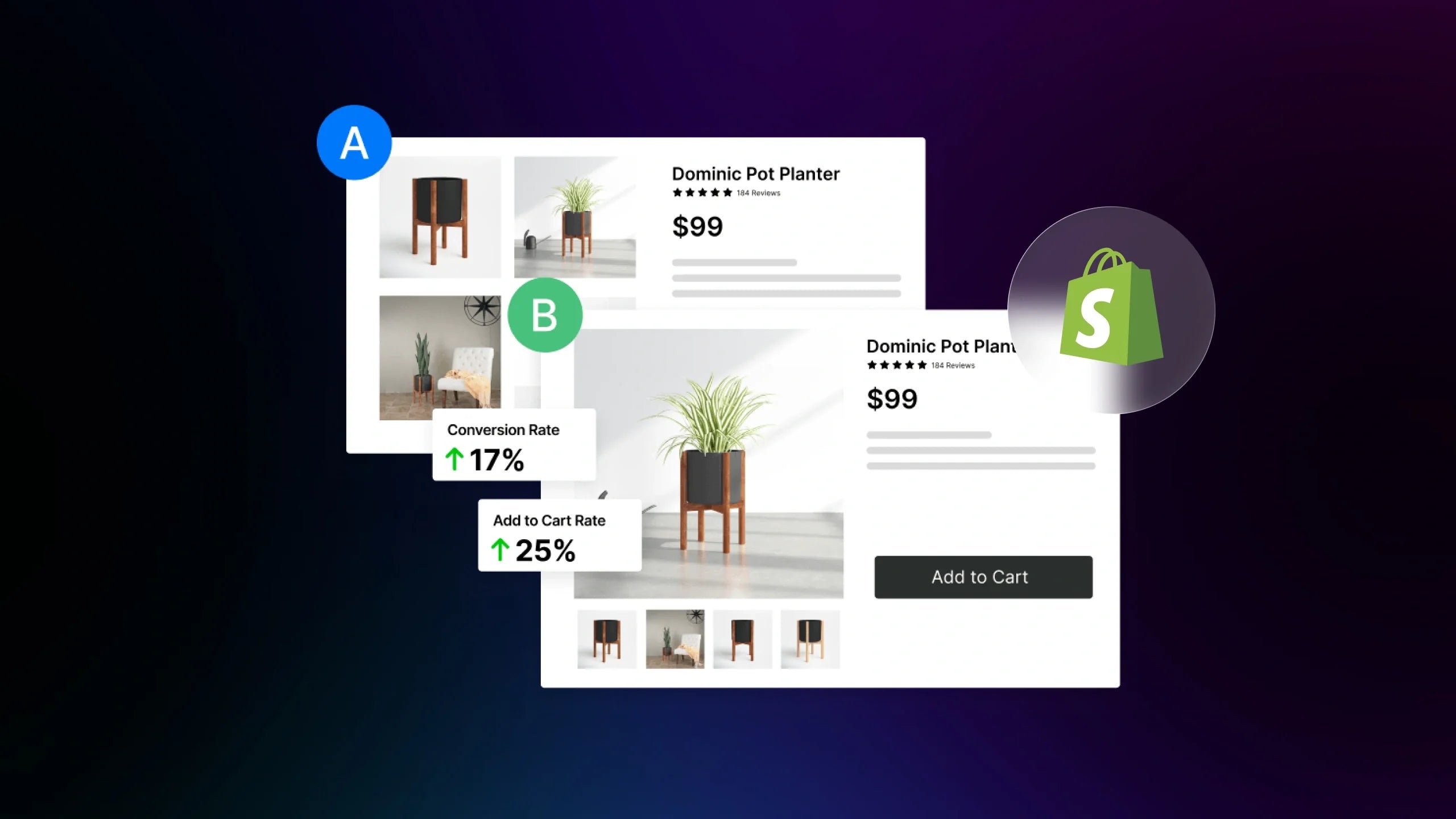
A/B tests have become a powerful tool for every Shopify store that wants to grow with control. As this provides merchants with substantial evidence for decision-making and identifies the most impactful changes to boost sustainable growth, how to effectively run A/B tests remains a big question for even high-converting stores.
Our guide will help you understand how to run A/B tests on Shopify in a way that yields reliable and scalable results for long-term growth. You will learn what to test, how to design experiments, how long to run, and turn test data into profit.
What is A/B testing?
A/B testing is a controlled experiment where two or more versions of a page or on-page element are presented to different users simultaneously. Merchants can create a control and a variant version of what they want to test. One group of visitors sees the original version, while another group sees a modified version.
Each version is measured on the same metrics to determine which version performs better. The performance difference between them shows which version drives better business results. As they both run under the same conditions, A/B testing removes bias from decision-making and shows whether the change improves or harms performance. For merchants who want to know how to run A/B tests on Shopify correctly, this structure can turn testing into a growth engine.

5 Types of A/B testing on Shopify

There are different A/B testing types to serve different business goals. Some tests focus on small elements, while others compare entire pages or store themes. Knowing which test to use for your store is an important part of learning how to run A/B tests on Shopify in the most effective way.
Quick overview
|
Test Type |
What it tests |
Best used when |
Risk level |
|
Page Test |
Individual elements on a single page |
Improve conversion on an existing page |
Low |
|
Split URL Test |
Two separate page versions |
Testing major layout or copy changes |
Medium |
|
Template Test |
A Shopify template across many pages |
Improve an entire product or collection layout |
Medium |
|
Theme Test |
Entire store theme |
Considering a full design or UX change |
High |
|
Price Test |
Product pricing or discounts |
Optimize revenue and boost purchases |
Medium |
Each test type plays a different role in a structured experimentation program. When used correctly, they allow merchants to move from small improvements to major growth initiatives without relying on guesswork.
Page Tests
Page test is the most common form of A/B testing. It compares two or more variations of the same page on specific elements, such as a headline, CTA, product image, or trust badge.For example, a Shopify merchant may test whether a “Sign up for free” CTA or a “Trial for free” button generates more purchases. Page tests are ideal for optimizing conversion-critical areas such as homepages, product pages, and checkout steps.
As page tests test one variable at a time, they provide high confidence and low risk, making them suitable for continuous optimization plans. To employ effective age tests, merchants can use advanced platforms such as GemX to easily create variations and measure performance across devices, traffic sources, and channels.
Split URL tests
Split URL testing compares two different page versions, each hosted under a separate URL. Traffic is divided between the two URLs, allowing evaluation of large changes such as page layout, visuals, or conversion flow. This test is often used to test new landing page designs or promotional layouts without affecting the original page.
The results will indicate which variation generates higher revenue or engagement. Split URL testing gives merchants the freedom to experiment with bold ideas while maintaining good control. However, this test requires large traffic and careful tracking to ensure both URLs receive comparable audiences.
Template tests
A template test applies one variation across many similar pages that use the same Shopify template. Instead of testing a single product page, merchants can test a new layout or design on all product pages that use a given template.

For example, a store may test whether a change in the reviews section and shipping details placement can boost the product page performance or not. Template testing allows merchants to measure structural improvements at scale and provides insights to drive consistent conversion. However, this test requires longer durations as traffic is distributed across many pages.
Theme tests
Theme testing compares two completely different Shopify themes. It evaluates not only layout and visuals, but also navigation, product presentation, and overall user experience. This test is typically used when merchants are considering a major redesign.
Theme tests carry higher risks as they affect the entire customer journey. They also require careful setup to ensure both themes have identical products, pricing, and functionality. However, when handled correctly, they provide powerful data for long-term brand and UX decisions.
Price tests
Price testing evaluates how different prices, discounts, or promotional pop-ups affect sales and revenue. Rather than testing design or content, this method focuses on customer purchase willingness. For example, merchants can test whether a product sells better at $39 or $49, or whether a 10% discount performs better than free shipping.
While one price may generate more conversions, the other may produce higher total revenue. This test helps identify the most profitable balance. When paired with advanced segmentation, it can reveal how new and returning customers respond differently to price changes.
Why Shopify merchants must use A/B testing?
Understanding how to run A/B tests on Shopify is not only a technical skill but a strategic advantage. A/B testing allows merchants to improve store performance using controlled experiments and provides data for decision-making.
-
Removing guesswork and making data-driven decisions
Shopify merchants make dozens of decisions every month about design, pricing, messaging, and layout. Without testing, these decisions are based on opinions or trends, or internal preferences. When merchants know how to run A/B tests on Shopify correctly, each change is validated against real customer behavior. This helps prevent costly mistakes and supports continuous optimization.
-
Improve conversion rate, engagement, and revenue
A/B testing allows merchants to identify and fix friction points to prevent conversions and traffic loss. By testing variations of headlines, buttons, layouts, and product presentation, merchants can learn which version encourages engagement and purchase. For example, a test may reveal that a clearer shipping message increases checkout completion, or that a stronger hero headline increases product exploration.
-
Allocate resources effectively
A/B testing ensures that merchants can use their resources effectively to invest in changes that actually improve performance. For example, before investing in a full product page redesign, a merchant can test different image placements, descriptions, or price displays to see what has the biggest impact. Knowing how to run A/B tests on Shopify helps teams prioritize what truly matters. This creates a more efficient, profit-focused growth strategy.
-
Make testing work with low or irregular traffic
Many Shopify stores do not receive large or stable traffic. This often leads merchants to assume that A/B testing is only useful for large stores. However, even small stores can benefit from structured testing when it is done correctly.
By focusing on high-impact pages and selecting the right test types, merchants can gain statistically meaningful insights. Sequential testing and tools such as GemX can further support stores with small traffic by detecting performance trends faster and reducing the risk of false conclusions.
Learning how to run A/B tests on Shopify in a disciplined way allows even small or seasonal businesses to improve steadily. Over time, these incremental gains can produce significant competitive advantages, regardless of store size.
How to run A/B tests on Shopify (Step-by-Step Guide)
A/B testing requires more than changing page designs and checking which version gets more clicks. It is a structured optimization process that combines analytics, experimentation design, traffic control, and statistical evaluation. Merchants who understand how to run A/B tests on Shopify can produce reliable insights for sustained revenue growth rather than short-term wins.
Step 1. Conduct pre-test research
Every successful A/B test begins with research. Testing without evidence leads to random results and wasted traffic. Pre-test research answers a simple question: Where is the store losing users, and why?
However, merchants need to understand the types of research they should conduct to allocate resources and produce appropriate data for their experiments. There are two major types of pre-test research that merchants can consider:
#1. Quantitative insights from analytics

Google Analytics is a powerful tool for quantitative research
Analytics platforms such as Google Analytics 4 provide behavioral data that reveals friction across the Shopify funnel. Merchants should analyze:
-
High bounce rate pages, such as homepages, landing pages, or collection pages
-
Product pages with high views but low add-to-cart rates
-
Checkout steps where users abandon before completing a purchase
These metrics indicate where visitors hesitate, get confused, or lose interest. For example, if GA4 shows that a product page has strong traffic but weak add-to-cart rates, this suggests that pricing, product messaging, or trust signals may be the issue. These become test candidates.
But how to run GA4 effectively to produce precise data for your experiment is another big question. Check out our guide to maximizing the power of GA4.
#2. Qualitative insights from user behavior
Numbers show where problems occur. Qualitative tools explain why. Session recordings, heatmaps, and customer feedback reveal how users interact with pages. An effective test doesn’t rely solely on analytics but on different sources of data, in which customer behavior is an important indicator. Merchants should observe:
-
Where users stop scrolling
-
Which buttons or links do they ignore
-
Where they hesitate or exit
These insights justify what should be tested and prevent random experimentation. To collect such data, merchants can simply observe customer trends, collect feedback, interview their customers, or use tools with journey analysis to identify friction across real customer journeys.
Step 2. Select test elements
After identifying friction points, the next step is deciding what to test. Not all elements deserve equal priority. The goal is to focus on elements with direct and significant business impact. Merchants should prioritize elements that influence:
-
Add-to-cart actions
-
Checkout completion
-
Revenue per visitor
-
Lead or email signups

Merchants must also choose the scope of each test. For example, single-element tests focus on one change, such as a CTA button color or a headline. These are best when diagnosing specific problems.
Meanwhile, page layout tests compare different page structures, such as a product page with reviews at the top versus the bottom. These are useful when overall engagement is weak. Knowing how to run A/B tests on Shopify means choosing the changes that truly impact.
Step 3. Define your A/B test hypothesis and metrics
A/B testing is a data science discipline. Each test must start with a clear hypothesis and success criteria. A strong hypothesis follows this format:
If we change X for audience Y, then metric Z will improve because of reason R.
For example, a good hypothesis can be “If we move customer reviews above the product description for mobile users, then add-to-cart rate will increase because trust signals will be visible earlier in the decision process.” This structure helps merchants connect data with business impact. Merchants can also reference a data-science structure for a better hypothesis structure.

Each test must also have a primary success metric, including:
-
Conversion rate
-
Revenue per visitor
-
Add-to-cart rate
Secondary metrics, such as bounce rate or time on page, help explain why a result happened, but can not decide the winner.
Segment your audience
Test results must always be reviewed by the audience segment because customer behavior is not uniform. Results must be analyzed by segment because users behave differently. Common segments include:
-
New vs returning visitors
-
Mobile vs desktop users
-
Paid traffic vs organic traffic
A variation may perform well for mobile but not for desktop. Knowing how to run A/B tests on Shopify effectively includes analyzing these differences to avoid misleading conclusions.
Step 4. Create testing variants and set traffic allocation
Once the hypothesis is defined, merchants create the control and the variation. The control is the current version of the page. The variation includes only the change being tested. This ensures that any performance difference is caused by that single change.

Next, traffic allocation should be considered and decided upon the business goals. There are different traffic distributions that merchants need to note for their A/B test:
-
Standard A/B test: Use a 50/50 traffic split so both versions receive equal exposure. This produces balanced and statistically valid results.
-
Weighted splits: Can be used when merchants want to limit risk or accelerate learning. For example, sending 70 percent of traffic to the control and 30 percent to the variation can reduce revenue risk while still collecting sufficient data.
Step 5. Determine test duration and sample size
Once variants are live, the most important question becomes how long the test must run and how much data is required before a decision is valid. Many Shopify merchants stop tests too early, which leads to false winners and unstable results.
Here are some important tips on how to run A/B tests on Shopify to ensure the efficiency of your experiments:
Tip #1. An A/B test should run for at least 14 days
Test duration must be long enough to capture fluctuations in customer behavior as traffic patterns on Shopify stores vary significantly between weekdays and weekends, during promotions, and across traffic sources. Therefore, a minimum duration of 14 days ensures both versions run a full business cycle, and performance differences are not caused by short-term randomness.
Tip #2. Use sample size calculators
Sample size determines whether a test can detect real performance changes. A test that reaches statistical significance with too few visitors is unreliable. Merchants should calculate the required sample size based on the current conversion rate and the size of the changes. Merchants should use sample size calculators in this step to calculate the exact size for their samples and ensure the validity of the tests.
Tip #3. Let tests run through typical user cycles
A/B tests must run through full customer behavior cycles to produce reliable results. Shopper intent, traffic sources, and purchase patterns often differ between weekdays and weekends, as well as during sales and other periods. Running a test for only a few days can overrepresent one type of behavior and distort the outcome.
Step 6. Track test progress
Once a test is conducted, continuous monitoring ensures data remains clean and the experiment remains reliable. Before launch, merchants should confirm that product pricing, inventory, checkout flow, and other untested elements are identical across all versions. A broken add-to-cart button or a missing element in one variant invalidates the entire test.
During launch, traffic distribution must remain stable. If one variant receives significantly more or less traffic, the test will produce biased results. Other factors, such as advertising or sales, should also be noted, as these can affect user behavior during the test period. Proper tracking ensures that when results are analyzed, they reflect real user preferences rather than technical errors.
Step 7. Analyze test results
After the test has collected sufficient data, a statistical evaluation is conducted. However, many merchants struggle, as raw numbers do not indicate if changes truly worked. 
Experiment Analytics optimizes your experimentation
With Experiment Analytics, this step is simplified as it displays conversion lift, confidence levels, and funnel performance across all variants. Understanding these metrics is essential to see if a version truly outperformed the control or if the observed difference is within the range of random chance.
Step 8. Implement winning variant
Once a variant achieves statistical confidence and shows a meaningful business impact, the winning variant should be implemented across the store. This is not the end of the process but the beginning of the next optimization cycle.
Merchants should document each test, including the hypothesis, the changes made, the results, and the final decision. Over time, this test documentation becomes a strategic asset. It reveals what types of messaging, layouts, and offers work best for a specific audience. These can inform future experiments, allowing each new test to be more focused than the last. This is how A/B testing evolves from isolated experiments into a continuous growth engine for Shopify stores.
Best Tools and Solutions for Smarter A/B Testing on Shopify
Reliable tools are essential for running valid experiments, tracking results, and making confident decisions. The tools below support three core functions: running tests, analyzing performance, and collecting user data.
A/B Testing Tools
A/B testing tools help control how traffic is split between variants, ensure tests are statistically valid, and determine which version produces better business outcomes. When learning how to run A/B tests on Shopify, merchants can use different tools to control experiments without disrupting store operations.

|
Tool |
Best for |
Key features |
Limitations |
Price |
|
GemX |
Full-funnel Shopify experimentation |
Template, page, and journey A/B testing, funnel-level metrics, segment analysis, and statistical validation |
Shopify-only |
Paid |
|
Convert Experiences |
Privacy-focused A/B testing |
Visual editor, multivariate testing, segment targeting, GDPR/CCPA compliance |
Limited ecosystem |
Paid |
|
VWO |
UI and copy testing |
Visual editor, split URL testing, behavior tracking |
Expensive for small stores |
Paid |
|
Optimizely |
Advanced enterprise testing |
Multivariate and full-stack testing |
Complex setup |
Paid |
GemX is designed specifically for Shopify merchants who need to test across the entire customer journey rather than isolated pages.
Data Analytics Tools
While testing tools decide which version wins, data analytics tools explain why it wins by showing how users move through funnels, where they drop off, and how revenue is generated. They are essential for validating test outcomes and identifying new optimization opportunities.
|
Tool |
Best for |
Key features |
Limitations |
Price |
|
Google Analytics 4 |
Traffic and conversion analysis |
Funnel tracking, event measurement, and audience segments |
Requires setup and learning |
Free |
|
Mixpanel |
Behavioral analysis |
Event-based funnels, cohort tracking |
Less Shopify-native |
Paid |
|
Hotjar |
UX trend tracking |
Engagement heatmaps, drop-off analysis |
No statistical testing |
Free and paid |
Data Collection Tools
Data collection tools capture qualitative and behavioral insights that numbers alone cannot explain. Session recordings, heatmaps, and on-site surveys reveal how users interact with test variants in real conditions. This helps merchants understand friction points and design stronger hypotheses for future A/B tests.
|
Tool |
Best for |
Key features |
Limitations |
Price |
|
Hotjar |
User behavior insights |
Session recordings, heatmaps, surveys |
Sample based |
Free and paid |
|
Microsoft Clarity |
UX diagnostics |
Rage clicks, dead zones, replays |
No built-in testing |
Free |
|
Lucky Orange |
Funnel and behavior data |
Recordings, heatmaps, live chat |
Performance overhead |
Paid |
Other Tools
Beyond testing and analytics platforms, Shopify merchants rely on a broader ecosystem of tools to execute and scale experiments. Website builders such as GemPages allow merchants to create and modify landing pages, product layouts, and conversion elements without touching code, which makes rapid A/B testing possible. Together with testing platforms like GemX, page builders enable teams to launch variants faster and maintain design consistency across experiments.
Tag management tools like Google Tag Manager ensure events such as add-to-cart, checkout, and purchases are tracked correctly across all variants. Performance and speed testing tools such as Google PageSpeed Insights help identify speed issues that could bias test results, since slow variants often lose for technical rather than behavioral reasons. Together, these tools form the operational layer that makes A/B testing on Shopify reliable and scalable.
Conclusion
Knowing how to run A/B tests on Shopify is no longer optional for growth. In competitive eCommerce markets, every decision must be backed by evidence and not opinions. Structured experimentation allows Shopify stores to improve conversion rates, reduce wasted traffic, and scale with confidence.
By following a disciplined testing framework, using accurate analytics, and applying insights across the customer journey, merchants can turn small changes into sustained revenue growth. A/B testing is not about finding one winning page. It is about building a system for continuous improvement.
FAQs about How to run A/B tests on Shopify


