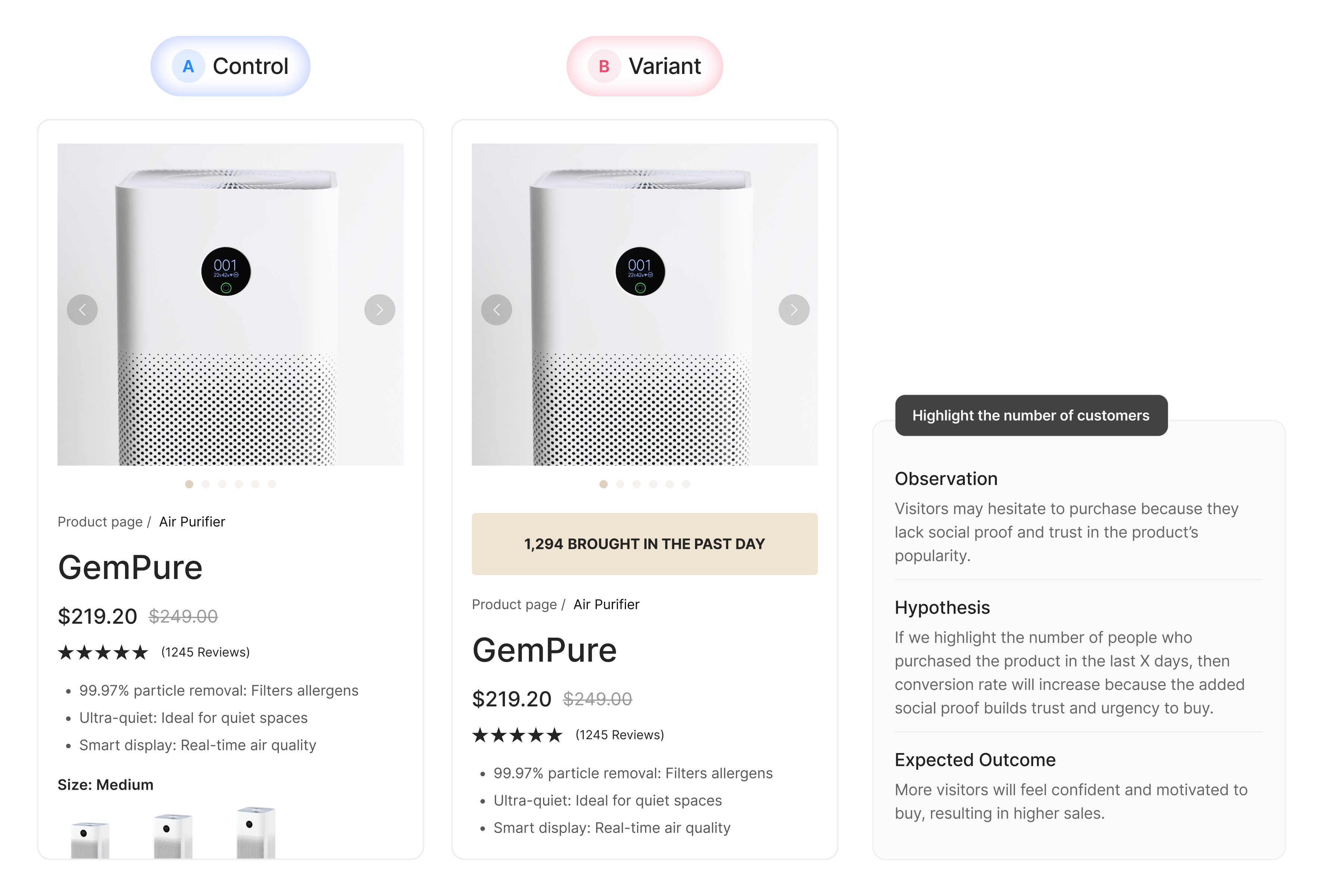
Run precise A/B tests on elements like headlines, buttons, or images, all within a single page layout. Perfect for quick wins and focused iteration without affecting your full funnel.
Start from the dashboard and select Multipage Testing as your campaign type.
Select Template for Control and Variant
See all your templates in one list. Search by name, filter by type (product, collection, homepage), and select with one click.
Targeting & Launch
Set traffic split, devices, visitor types, and sources — then go live.
Track Analytics & Make Winner
Access GemX’s analytics dashboard to compare results, track trends, and declare a winner.
Need More Ideas For Your Experiments?
Explore guides and resources to get the most out of Template Testing.
Oct 24, 2025
How to Install GemX: CRO & A/B Testing

Chloe Dinh
4 min
Oct 24, 2025
How to Create a Template Testing Experiment on GemX
Chloe Dinh
4 min
Oct 24, 2025
How to View and Read Template Testing Experiment Analytics
Chloe Dinh
4 min
Frequently Asked Questions
What is Template Testing?
Template Testing allows you to run A/B tests on different templates: comparing your current (Control) design against a new (Variant) version.
How can I manage a Template Testing experiment?
Go to GemX Dashboard > Experiments, where you manage all your available testing campaigns. Click on the target one, you can pause, rename, end, or delete any experment as you prefer.
How do I know if my A/B test is running?
You can check by visiting the experiment link in two different browsers or opening it in Incognito mode. This allows you to simulate different user sessions.
Do both templates need to be published?
Yes. Both the Control and Variant templates must be published for the test to work correctly. GemX uses Shopify's rendering system to display the templates, so unpublished ones cannot be shown.
Does GemX Template Testing change my ad URL?
No. GemX keeps your original link intact. Visitors are redirected to the Control URL, and either the Control or Variant template is dynamically loaded in the background.
How to conduct A/B Testing?
In publishing and graphic design, Lorem ipsum is a placeholder text commonly used to demonstrate the visual form of a document or a typeface without relying on meaningful content. Lorem ipsum may be used as a placeholder before the final copy is available