


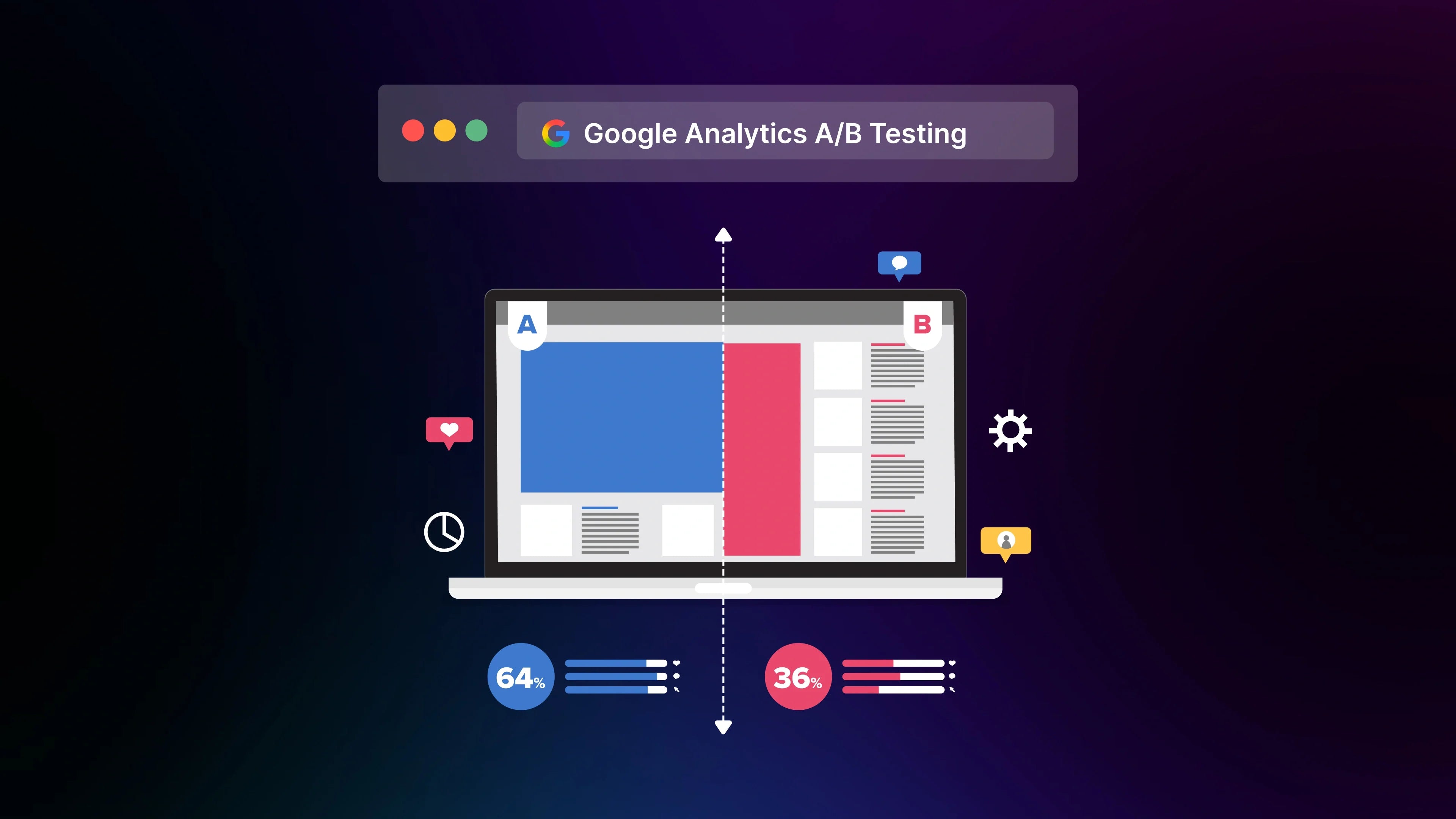
Google Analytics A/B testing has become a growing need for Shopify merchants. As Shopify stores scale, even small design or layout decisions can impact conversions, yet many merchants struggle to validate what actually works. With tighter competition and rising acquisition costs, guessing what improves conversions is no longer an option.
Understanding the role Google Analytics plays in A/B testing helps you measure changes confidently and run high-impact experiments that drive real results.
How Google Analytics Fits Into Modern A/B Testing
Google sunset Google Optimize in September 2023, removing the only free, Google-native tool for A/B testing. As a result, Google Analytics (GA4) became the default analytics layer, but it wasn’t designed to replace Optimize’s testing engine.

For many Shopify merchants, this shift created a real gap. Brands that relied on Optimize for testing product page layouts, pricing blocks, or banner messaging suddenly had to rethink their testing workflows.
What GA4 Can Still Do for A/B Testing
Although GA4 no longer runs experiments, it remains a powerful data engine for evaluating performance. Its event-based model allows merchants to track interactions that matter most on Shopify: add-to-cart events, variant selections, product image interactions, checkout starts, and purchases.
GA4 can also compare how different traffic segments behave with each variant when tests are run through external tools. This includes viewing insights by device type, traffic source, user cohort, or returning vs. first-time visitors. These details matter; Baymard Institute notes that mobile UX issues contribute to 35% of checkout abandonment, so segment-level analysis often reveals friction points a simple global comparison would miss.
It could be said that GA4 is now the central measurement layer for Shopify stores, even when testing itself happens elsewhere.
What GA4 Cannot Do
This is the part many merchants misunderstand. GA4 is not a testing platform. It does not:
-
Split traffic between variants
-
Render or deliver variant content
-
Provide a visual editor
-
Support template-level testing (e.g., PDP layouts, landing pages, collections)
-
Run multivariate or multi-page experiments
These limitations matter because Shopify merchants typically want to test broader elements instead of micro-changes. For example, switching a product page from a stacked layout to a side-by-side gallery requires a testing engine that controls rendering and tracks revenue impact. GA4 alone cannot execute this.
The practical takeaway: GA4 provides measurement, not experimentation. Brands still need a purpose-built platform to create and run tests, then use GA4 to monitor behavior across the funnel.

Benefits of Using Google Analytics in an A/B Testing Workflow
Shopify merchants often know what they want to test but struggle to measure impact accurately. GA4 becomes essential here, acting as the central layer that reveals how each variant influences user behavior, conversion rate, and revenue.
Understand How Users Behave Across the Funnel
GA4’s event-driven model tracks granular behaviors that matter on Shopify, from product impressions to checkout actions. This gives merchants visibility into where engagement drops and why certain variants perform differently.
Statista reports that nearly 70% of online shopping carts are abandoned, meaning even small UX changes can significantly influence downstream metrics. GA4 allows merchants to see whether a variant improves micro-interactions such as scrolling, gallery engagement, or mobile tap patterns, signals that often predict conversion lift long before purchases occur.
Improve Conversion Decisions With Real Data
Instead of relying on intuition, GA4 provides a factual basis for deciding which version of a page performs better. It consolidates performance signals from all traffic sources, helping merchants understand how paid visitors, organic shoppers, and returning customers respond to each variant.
In real store scenarios, variant performance often differs by device type. GA4 surfaces these variations clearly, for example:
-
Variant A wins on desktop due to the wider layout
-
Variant B wins on mobile due to simplified content
This allows merchants to refine hypotheses and deploy winning versions only where they truly matter. For Shopify brands that invest heavily in ads, even a 0.5–1% conversion lift can significantly reduce the cost per acquisition.
Learn more: A/B Testing for Data Science: What You Should Know in 2026
Reduce Risk Before Rolling Out Big Changes
Large-scale design updates carry real business risk. GA4 supports safer decision-making by validating these changes with smaller audience slices first.
Common examples where testing helps:
-
Switching from a long-form PDP to a minimalist layout
-
Updating the product image gallery from static to swipe-based
-
Changing pricing display or discount formatting

Baymard data shows that product page UX issues can result in up to 20–30% lower conversions, so testing before deployment prevents costly mistakes. Using GA4 to measure micro-interactions ensures that merchants adopt changes that genuinely improve performance, not just visually appealing concepts.
Validate Hypotheses Before Full Deployment
GA4 makes it easy to confirm whether a hypothesis was correct. By monitoring variant behavior, merchants can determine whether a redesign actually benefits users or if it introduces friction.
Examples of hypotheses merchants often test:
-
"Shorter product descriptions will improve mobile engagement"
-
"A prominent CTA near the gallery increases add-to-cart actions"
-
"Displaying delivery estimates on the PDP boosts checkout starts"
With GA4’s event tracking, these hypotheses can be validated quickly. This encourages a cycle of iterative improvements rather than risky overhauls.
Gain a Competitive Edge Through Continuous Experimentation
In markets where advertising costs continue to rise, CRO becomes a differentiator. Brands that consistently test grow faster because they compound small improvements over time. According to McKinsey, companies that adopt rapid experimentation frameworks see conversion improvements up to 30%.
GA4 supports this long-term optimization by giving brands a consistent measurement system across all experiments. Whether testing PDP templates, CTA placements, or landing pages built a third-party page builder like GemPages, merchants always have the same reliable analytics foundation to compare performance.
As Shopify competition increases, continuous testing becomes one of the few sustainable ways to drive growth without escalating acquisition costs.
6 Steps to Set Up A/B Testing Using Google Analytics
As GA4 isn’t a testing engine, the workflow requires two parts:
|
1. Configuring GA4 to measure variant behavior, and 2. Using a testing tool to split traffic and render variants |
Step 1: Create Custom Events to Track Variants
GA4 is built on an event-based model, meaning every action you want to measure must be tracked as an event. For A/B testing, merchants typically create custom events to identify which variant a user interacted with.

What this looks like in practice:
-
view_variant_a → triggered when a session sees version A
-
view_variant_b → triggered when a session sees version B
-
Optional behavioral events such as cta_click_a, gallery_interaction_b, etc.
This setup enables GA4 to compare engagement and conversion trends across variants. Because Shopify stores often rely on product discovery and add-to-cart actions as early conversion signals, tracking these micro-events gives merchants meaningful indicators long before purchases occur.
Pro tip: Mark core events (add to cart, purchase, or variant-specific interactions) as Key Events to highlight their importance in reports.
Step 2: Add Variant Parameters in GA4
Custom event parameters help GA4 differentiate between versions of the same page or component. This is essential when multiple variants share similar event names.

Example parameters:
-
variant_id: "A"
-
variant_id: "B"
-
layout_type: "stacked"
-
layout_type: "gallery-first"
For Shopify stores, these parameters are especially helpful when testing:
-
Product page templates
-
Landing page hero sections
-
Pricing blocks
-
Shipping banners
-
Image gallery styles
Parameters provide context so you can analyze not just what users did, but which version influenced those behaviors.
Step 3: Set Goals, Hypotheses & Required Sample Size
A/B testing without a hypothesis often leads merchants to misinterpret data or chase insignificant variations. Defining a strong hypothesis and goal upfront ensures clarity.
Example hypothesis structure:
|
“Changing the CTA from ‘Add to Cart’ to ‘Buy Now’ will increase product page click-throughs by at least 8%.” |
Key planning steps:
-
Define 1-2 primary KPIs: add-to-cart rate, PDP engagement, purchase conversion
-
Estimate sample size based on traffic: stores with low volume should avoid running tests with fewer than 2,000+ sessions to prevent misleading results.
-
Set test duration: usually 1–2 weeks, to account for weekday/weekend behavior patterns.
-
Avoid testing during peak sale events unless the goal is specifically tied to campaign behavior.
This structure helps merchants avoid false positives, especially because Shopify traffic is often inconsistent across channels.
Step 4: Run Experiments Using a Third-Party A/B Testing App
GA4 cannot split traffic or render variants, so this is where a dedicated experimentation tool comes in. Merchants typically use a solution like Optimizely, VWO, or a Shopify-native app like GemX: CRO & A/B Testing, which is built specifically for testing templates, product pages, and multi-page flows.

Your testing engine will handle:
-
Splitting traffic between A/B or multiple variants
-
Rendering the correct design/layout
-
Sending variant identifiers to GA4
-
Tracking experiment metadata
For Shopify users, using a platform that supports theme-level or template-level testing prevents performance issues and ensures accurate tracking, since many product interactions (gallery swipes, variant selection, ATC clicks) are unique to Shopify’s architecture.
Learn more: Introduce GemX: Data-Driven A/B Testing to Increase Shopify Conversions
Step 5: Analyze Variant Performance in GA4’s Explore Reports
With events and parameters in place, GA4’s Explore section becomes your analysis hub. Explore allows merchants to build comparisons between variants, segment users, and identify patterns that wouldn’t appear in standard reports.
Common insights to analyze:
-
Engagement rate differences between variants
-
Add-to-cart uplift
-
Conversion rate by device
-
Scroll depth and time on page
-
Funnel drop-offs across variants
A typical Shopify scenario:
Variant A may drive more product views, while Variant B drives more add-to-carts because the CTA is placed earlier on mobile. GA4 reveals these behavior patterns clearly, especially when segmented by device or channel.
Step 6: Turn Insights Into Action
The goal of analysis is to make decisions, not just collect data. Once GA4 shows a clear winning variant, brands must decide whether to deploy it fully, keep testing, or refine the experiment.
Use this simple decision framework:
-
Winner with strong lift (≥10%): Deploy globally
-
Winner with moderate lift (5–9%): Retest with refined elements
-
No meaningful difference: Test a bigger design or layout change
-
Variant underperforms: Archive and learn, but don’t deploy
This reduces risk for Shopify merchants who often rely on conversion gains to offset rising acquisition costs. GA4’s event-based clarity helps teams confidently implement changes that move the needle without relying on guesswork.
How Shopify Stores Combine GA4 & GemX for Full-Funnel Optimization
Instead of struggling with collecting data, many Shopify merchants struggle with using it to make confident optimization decisions. GA4 provides visibility into user behavior, while GemX delivers the testing engine Shopify stores need to run experiments across product pages, collections, landing pages, and funnels. When paired together, they create a complete CRO workflow that covers both experimentation and measurement.
GA4 for Measurement, Segmentation & Funnel Insights
GA4 serves as the analytics foundation, tracking how different types of shoppers behave before, during, and after an experiment. Its event-based model allows Shopify merchants to map the entire shopping journey with precision, from product impressions to checkout completion.
Key advantages GA4 brings to the workflow:
-
Behavior insights across devices (mobile often accounts for 70%+ of Shopify traffic)
-
Source-level patterns showing which campaigns respond best to which variant
-
Scroll, tap, and engagement signals that help explain variant performance
-
Checkout funnel visibility to identify which version reduces drop-off
Using GA4’s segmentation, merchants can analyze differences between:
-
New vs returning customers
-
High-intent vs cold traffic
-
Organic vs paid acquisition
-
Mobile vs desktop visitors
This matters because behavior is rarely uniform. For example, a hero layout that boosts engagement on mobile may perform worse on desktop. GA4 makes these patterns obvious, giving merchants the clarity they need before deploying a variant globally.
GemX for Running Experiments Across Pages & Full Funnel
GemX fills the gap left by Google Optimize by giving Shopify merchants a tool built specifically for their ecosystem. While GA4 tracks what happens, GemX controls the experience itself: creating variants, splitting traffic, and calculating conversion lift.
Key capabilities that support full-funnel optimization:
-
Template Testing: Compare entire PDP or landing page templates without touching theme code
-
Multi-Page Testing: Experiment across complete user flows such as home → collection → PDP → cart.
-
Path Analysis: Reveals exact steps users take before converting or exiting
-
Page Analytics: Shows performance for any Shopify page, even those outside experiments

These features help Shopify teams experiment faster and with less guesswork. For example, a merchant can test two PDP templates with different media layouts and instantly see which one increases the add-to-cart rate or improves time on page. GemX automatically attributes revenue to the winning variant, eliminating manual calculations.
Example Workflow From Real Shopify Stores
A typical full-funnel workflow combining GA4 & GemX looks like this:
1. Identify a performance issue using GA4
A merchant notices mobile conversion is 35% lower than desktop and sees high scroll-drop on the product page.
2. Create variants in GemX
Two PDP versions are built:
-
Variant A (Control template): Sticky add-to-cart + reordered sections

-
Variant B (Variant template): Simplified gallery + prominent delivery estimates

3. Launch test with GemX traffic split
GemX handles variant delivery, ensuring clean and consistent allocation.
4. Push variant identifiers into GA4
Events include parameters like variant_id, enabling segmented analysis.
5. Evaluate performance
GA4 & GemX show:
-
Variant B improves mobile ATC rate by 11%
-
Variant A performs slightly better on desktop
-
Variant B leads to higher revenue per session overall
6. Deploy the winning version
The merchant rolls out Variant B for mobile-only, a decision supported by both behavioral metrics and revenue attribution.

This integrated workflow gives Shopify merchants the confidence to iterate quickly. Instead of relying on guesswork or fragmented data sources, they gain a complete picture of how each test impacts engagement, conversion, and revenue across the entire funnel.
Conclusion
A/B testing has become an essential part of how modern Shopify stores improve conversions, reduce risk, and iterate with clarity instead of guesswork. With GA4 as the central measurement layer and a purpose-built experimentation tool handling variant delivery, merchants can make smarter decisions backed by meaningful behavioral and revenue data. Understanding how Google Analytics A/B testing fits into this workflow helps store owners run more confident, data-led experiments that genuinely move the needle.
If you're exploring how to deepen your CRO process, consider diving further into GemX’s resources to learn how testing can support your long-term growth.
Frequently Asked Questions
1. Does Google Analytics 4 support A/B testing?
GA4 doesn’t run A/B tests directly. It can track variant performance, measure key events, and compare behavior across segments, but you need a separate testing tool to split traffic and render variants. GA4 acts as the analytics layer in your A/B testing workflow.
2. How do I run A/B tests after Google Optimize was discontinued?
You’ll need a third-party A/B testing tool to create variants and allocate traffic. GA4 can then track the resulting behavior using custom events and parameters. Many Shopify merchants pair GA4 with a dedicated testing platform such as GemX: CRO & A/B Testing, VWO, Optimizely, etc., to maintain a clear, reliable experiment workflow.
3. How do I track A/B test results in GA4?
Create custom GA4 events and variant parameters, then let your testing tool, such as GemX, push variant identifiers into GA4. From there, use Explore reports to compare engagement, add-to-cart rates, and conversions across versions. GemX also provides its own experiment reports and page analytics to complement GA4 insights.
4. How long should an A/B test run for accurate results?
Most Shopify stores need at least one to two weeks to reach a reliable sample size and capture weekday–weekend behavior patterns. Ensure each variant receives enough traffic, typically 2,000+ sessions, to avoid false positives and make decisions grounded in meaningful data.


