


In eCommerce, small changes can make a big difference. A slightly different headline, a new product image, or a redesigned checkout page can all impact whether someone makes a purchase or leaves your store. The question is: how do you know which changes actually work?
The answer is A/B testing. By testing different versions of your pages and funnels, you can make decisions based on real data rather than guesswork. The right A/B testing tool makes it simple to run experiments, track results, and improve conversions. In this guide, we’ll explain what A/B testing is, why it matters, how to choose the right tool, and review the best options available in 2025.
What is A/B Testing?
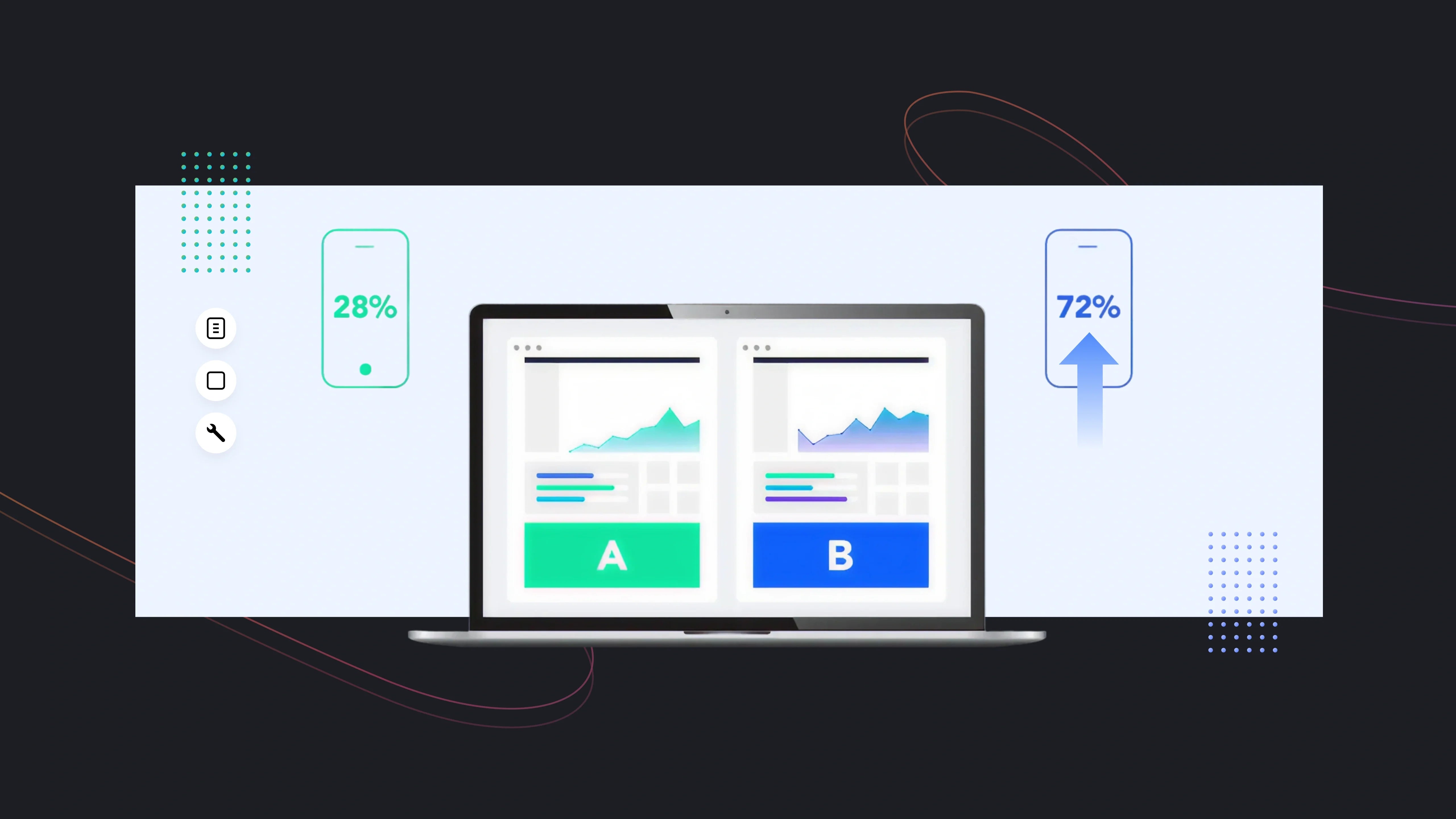
A/B testing, also called split testing, is a method to compare two or more versions of a digital asset—like a web page, product listing, email, or ad—to see which one performs better.
- Version A is the original, also known as the control.
- Version B is the variation you want to test.
For example, you might have a Shopify product page with a blue “Add to Cart” button (Version A). You could test a green button (Version B) to see which one gets more clicks and conversions. Traffic is split between the versions, and statistical analysis shows which performs better.

Why You Need A/B Testing
Even minor changes can dramatically impact your store’s performance. Here’s a deeper look at why A/B testing is essential for eCommerce:
1. Make Data-Driven Decisions
Without testing, many decisions are based on opinion or design trends. A/B testing gives hard data to support your decisions. For instance, you might assume a larger “Buy Now” button will increase clicks, but an A/B test could reveal that a smaller, contrasting button actually converts better.
Example: A Shopify store tested two homepage headlines. Version A said, “Free Shipping on Orders Over $50,” while Version B said, “Shop the Latest Styles with Free Shipping.” Version B increased conversions by 18%, a result that would have been impossible to guess without testing.
2. Increase Conversions and Revenue
A/B testing helps you find the versions of your pages that drive the most sales. This could be anything from product images, CTA buttons, page layouts, to pricing display.
Example: Changing a single product image from a standard photo to a lifestyle image showing the product in use can increase add-to-cart rates by 10–20%. Testing ensures you know which image performs best before rolling it out site-wide.
3. Improve User Experience
Your visitors behave differently what you expect. A/B testing reveals what resonates with them and what causes friction.
Example: You might assume visitors prefer a long, detailed product description, but a test could reveal that a shorter, bullet-point version increases engagement and conversions. Understanding user preferences lets you design intuitive, effective pages.
4. Optimize Entire Funnels
A/B testing isn’t limited to single pages. Modern eCommerce allows multi-page or funnel testing, which is critical for identifying where customers drop off.
Example: Test two different checkout flows:
- Flow A: Standard checkout page
- Flow B: Simplified, one-page checkout
Tracking the conversion rates from the landing page to completed purchase helps identify which funnel reduces cart abandonment. This is often where the biggest revenue gains happen.
5. Maximize Marketing ROI
Every ad, campaign, or seasonal promotion costs money. Testing landing pages, pop-ups, and email sequences ensures you get the highest return for every marketing dollar.
Example: You could run an A/B test for two versions of a Black Friday landing page: one emphasizing discounts, the other emphasizing free shipping. The winning page can then be used across your campaigns, improving ROI.
Pro Tip: Don’t just test colors or buttons—consider testing headlines, images, product descriptions, page layouts, pricing, or even promotional banners. Over time, small incremental improvements compound into significant revenue gains.
How to Choose the Right A/B Testing Tool
Selecting the right A/B testing tool is one of the most important decisions for optimizing your online store. The right tool ensures you can run experiments effectively, get accurate insights, and scale testing as your business grows. Here’s a step-by-step guide to help you choose the best tool for your needs.
Step 1: Define Your Testing Goals
Before evaluating tools, you need to clearly define what you want to achieve. Ask yourself:
What do I want to test?
- Single-page elements: headlines, product images, call-to-action buttons.
- Multi-page funnels: landing page → product → checkout.
- Full-store redesign: homepage, collection pages, and product templates together.
What metrics matter most?: Click-through rate, add-to-cart, completed purchases, average order value, bounce rate.
Example: If your main goal is to improve checkout conversions, you need a tool that supports funnel testing and tracks multi-step user journeys. If your goal is to improve email campaign performance, you’ll want a tool with built-in email testing and analytics.
Pro Tip: Clearly defined goals make it easier to choose a tool with the right features and avoid paying for unnecessary functionality.
Step 2: Assess Ease of Use
Even a powerful tool is useless if it’s too difficult for your team to use. Look for:
- Visual Editors: Drag-and-drop interfaces allow you to create variations without coding.
- Simple Test Setup: Quickly define goals, split traffic, and run experiments.
- Clear Dashboards: Easy-to-read metrics, graphs, and insights.
Example: GemX allows Shopify merchants to visually create A/B tests on live product pages and collection pages. You can set conversion goals like add-to-cart or revenue without touching code.
Pro Tip: If your team is small or not technically skilled, prioritize ease of use. Complex enterprise tools may offer more features, but can slow down testing.
Step 3: Evaluate Analytics and Insights
The best A/B testing tools do more than tell you which version wins—they tell you why it wins. Look for:
- Conversion Metrics: Add-to-cart, purchases, revenue, engagement rate.
- Path Analysis: Track the complete user journey from landing page to checkout.
- Behavioral Analytics: Heatmaps, scrollmaps, and session recordings reveal how users interact with your pages.
- Statistical Significance Tools: Ensure results are accurate and reliable.
Example: Using path analysis, you might discover that a new “Add to Cart” button increases clicks on the product page but causes higher drop-offs on the checkout page. This allows you to optimize both pages together.
Pro Tip: Analytics are key to understanding the impact of changes beyond surface-level metrics. Always choose a tool that provides actionable insights.
Step 4: Check Integration Capabilities
Your A/B testing tool should integrate smoothly with your existing tech stack:
- eCommerce Platform: Shopify, WooCommerce, BigCommerce, or Magento.
- Analytics Tools: Google Analytics, GA4, or Mixpanel.
- Email Marketing: Klaviyo, Mailchimp, ActiveCampaign.
- Advertising Platforms: Meta Ads, Google Ads.
Example: A Shopify merchant using GemX can automatically track add-to-cart events and completed purchases within the platform, without exporting CSVs or setting up complex tracking.
Pro Tip: Good integration saves time, ensures accurate tracking, and allows you to connect experiments directly to revenue and ROI.
Step 5: Evaluate Scalability
As your store grows, your testing needs will expand. Consider:
- Concurrent Experiments: Can the tool run multiple tests at once without interfering with each other?
- Multi-Page Funnels: Can you test full customer journeys, including landing pages, product pages, and checkout flows?
- Seasonal Campaigns: Can you test and measure campaigns like Black Friday or holiday promotions?
- Team Collaboration: Can multiple team members manage tests and view analytics simultaneously?
Example: GemX allows Shopify merchants to test entire seasonal funnels (campaign landing → collection → product page → checkout) against the default flow to measure uplift during key sales periods.
Pro Tip: If your tool can’t scale, you may outgrow it quickly, forcing a switch later. Always choose a tool that can grow with your business.
Step 6: Review Support and Documentation
Even the best tool can be challenging if support is lacking. Look for:
- Customer Support: Live chat, email, or phone support for troubleshooting.
- Tutorials and Guides: Step-by-step instructions for setting up experiments.
- Community or Knowledge Base: Access to forums, webinars, and case studies.
Example: Advanced funnel tests may require setting up custom tracking events. A responsive support team can guide you, preventing errors and ensuring your experiments are accurate.
Pro Tip: A tool with excellent support and documentation reduces mistakes, shortens learning curves, and maximizes the value of your investment.
Step 7: Compare Pricing and ROI
Finally, consider the cost relative to your expected benefits:
- Free or entry-level plans may work for small tests.
- Paid or enterprise plans are better for multi-page experiments, advanced analytics, and higher traffic stores.
- Evaluate ROI: A tool that increases conversions by even 5–10% can pay for itself quickly.
Example: If your store earns $50,000 per month and a test increases conversion by 5%, that’s an extra $2,500 per month—far exceeding the cost of most premium tools.
Pro Tip: Don’t choose a tool solely based on price. Consider features, integrations, scalability, and support to get the best long-term value.
Summary Checklist for Choosing an A/B Testing Tool:
- Define your testing goals: single page, multi-page, or full-store.
- Ensure the tool is easy to use for your team.
- Check for robust analytics and insights.
- Verify integrations with your platform and marketing tools.
- Assess scalability for multiple tests and seasonal campaigns.
- Confirm strong support and documentation.
- Evaluate pricing versus expected ROI.
Top A/B Testing Tools in 2025
In 2025, the A/B testing tool market is more sophisticated than ever. Tools are no longer just for single-page experiments—they allow multi-page funnel testing, full-store redesign experiments, and even seasonal campaign optimization.
|
Tool |
Best For |
Key Strengths |
Limitations |
Shopify Friendly |
|
GemX |
Full-store & funnel testing |
Multi-page, path analysis |
Shopify only |
Yes |
|
VWO |
High-traffic, advanced analytics |
Multivariate & funnel testing |
Complex interface, costly |
Partial |
|
Omniconvert |
Behavioral insights + testing |
Surveys, personalization |
Learning curve |
Yes |
|
Unbounce |
Landing pages & marketing campaigns |
Rapid setup, easy to use |
Limited multi-page testing |
Partial |
|
Crazy Egg |
Visual analytics + simple testing |
Heatmaps & session recordings |
Single-page focus |
Yes |
|
AB Tasty |
Enterprise & personalization |
Funnel & personalization |
Expensive, technical setup |
Partial |
Here’s a detailed look at the top tools you should consider.
GemX: CRO & A/B Testing App for Shopify
GemX is specifically designed for Shopify merchants, making it a powerful solution for eCommerce stores that want to optimize both individual pages and full funnels.

Key Features:
- Template Testing: Test product pages, collection pages, or custom layouts to see which design drives more conversions.
- Multipage Testing: Run experiments across entire store journeys, including homepage, collection, and checkout pages.
- Seasonal Campaign Flow: Compare a full seasonal campaign funnel (landing → collection → product page) against the default flow to measure uplift.
- Path Analysis: Track users from the landing page to checkout to identify drop-offs and opportunities for optimization.
- Page Analytics: Access analytics for any page, even if it’s not currently in a test.
- Make Winner Feature: Instantly publish the winning variant once results are statistically significant.
Pros:
- Fully integrated with Shopify, no coding required
- Supports multi-page and funnel testing
- Real-time analytics and actionable insights
- Easy setup and visual editor for non-technical users
Cons:
- Focused on Shopify; not ideal for other platforms
- Some advanced features require premium plans
Best Use Case: Ideal for Shopify merchants running full-store redesigns, seasonal campaigns, or multi-step funnel optimization.
VWO (Visual Website Optimizer)
VWO is a mature, enterprise-grade A/B testing tool that combines testing, personalization, and analytics. It’s suited for medium to large eCommerce stores with complex experiments.

Key Features:
- A/B, split URL, and multivariate testing
- Funnel analysis and conversion tracking
- Heatmaps, session recordings, and visual analytics
- Personalization campaigns
Pros:
- Powerful analytics and reporting
- Supports advanced multivariate testing
- Suitable for high-traffic sites and complex funnels
Cons:
- It can be complex for beginners
- Higher cost than SMB-focused tools
Best Use Case: Stores with large traffic or multiple product lines that require advanced segmentation and deep insights.
Example: An online electronics store used VWO to test two versions of a checkout funnel and a promotional pop-up. The experiment revealed that combining both changes increased revenue by 14%, a result that wouldn’t have been visible from single-page testing.
Omniconvert
Omniconvert combines A/B testing with surveys and behavioral targeting, allowing merchants to understand not just what works but why it works.

Key Features:
- Multi-page A/B tests
- On-page surveys and feedback forms
- Behavioral targeting and segmentation
- Personalization for user segments
Pros:
- Combines quantitative and qualitative insights
- Great for behavioral targeting and segmentation
- Supports multi-page experiments
Cons:
- The user interface may require learning
- Advanced features can be complex to implement
Best Use Case: Merchants who want to combine testing with customer insights, like surveys or personalized messaging.
Example: A fashion retailer used Omniconvert to test two landing page flows and collect on-site survey feedback. The results showed a higher conversion rate on the page emphasizing seasonal offers, along with insights into why users abandoned certain sections.
Unbounce
Unbounce is primarily a landing page builder with built-in A/B testing, ideal for marketers focused on campaigns and lead generation.

Key Features:
- Drag-and-drop landing page creation
- Multi-variant testing
- Pop-ups, sticky bars, and lead forms
- Conversion tracking
Pros:
- Extremely user-friendly
- Rapid landing page creation and testing
- Works well for campaign-focused experiments
Cons:
- Limited to multi-page or full-store testing
- Best suited for marketing campaigns rather than entire stores
Best Use Case: Marketing teams running paid campaigns or seasonal promotions who want quick landing page iterations.
Crazy Egg
Crazy Egg combines visual analytics with basic A/B testing, allowing merchants to understand user behavior on pages.

Key Features:
- Heatmaps, scrollmaps, and click maps
- Session recordings
- Element-level A/B testing
- Simple reporting dashboard
Pros:
- Affordable and easy to use
- Excellent for visual insights
- Great for single-page optimization
Cons:
- Limited advanced funnel testing
- Focused on single pages rather than full funnels
Best Use Case: Small to medium stores wanting to understand how users interact with specific pages and elements.
AB Tasty
AB Tasty is an all-in-one conversion optimization platform with testing, personalization, and engagement tools.

Key Features:
- A/B and multivariate testing
- Funnel optimization and behavioral targeting
- User engagement campaigns
- Segmentation and personalization
Pros:
- Complete suite for conversion optimization
- Strong personalization features
- Enterprise-ready and scalable
Cons:
- It can be expensive for smaller merchants
- Some features require technical setup
Best Use Case: Larger eCommerce or SaaS companies looking for full-funnel optimization combined with personalization campaigns.
Final Thoughts
A/B testing remains one of the most effective ways to improve conversions and revenue in 2025, but the right tool makes all the difference. Whether you need simple single-page tests, full-funnel experiments, or deeper behavioral insights, each platform offers strengths for different types of Shopify stores.
If you want a Shopify-native solution built for speed, clarity, and full-store optimization, GemX stands out as the most practical choice. No matter which tool you choose, the key to long-term growth is the same: test consistently, learn quickly, and let data guide your decisions.
Frequently Asked Questions
1. What is an A/B testing tool?
Software that compares two or more versions of a page, email, or funnel to see which performs better, providing data-driven insights.
2. Why is A/B testing important?
It helps increase conversions, optimize user experience, reduce guesswork, and maximize marketing ROI.
3. Can I test full funnels?
Yes. Tools like GemX allow multi-page or full-store funnel testing, from landing page to checkout.
4. How long should a test run?
Until results reach statistical significance, usually within a few weeks, depending on traffic and conversion rates.
5. Which tool is best for Shopify?
GemX is purpose-built for Shopify, supporting multi-page tests, seasonal campaigns, and real-time analytics.
6. What metrics should I track?
Clicks, add-to-cart, purchases, average order value, and funnel completion rates.
7. Can I test multiple variations at once?
Yes. Multivariate testing allows testing combinations of headlines, images, and CTAs for optimal results.
8. Common mistakes to avoid?
Testing too many variables at once, ending tests early, ignoring statistical significance, or testing low-traffic pages.


