


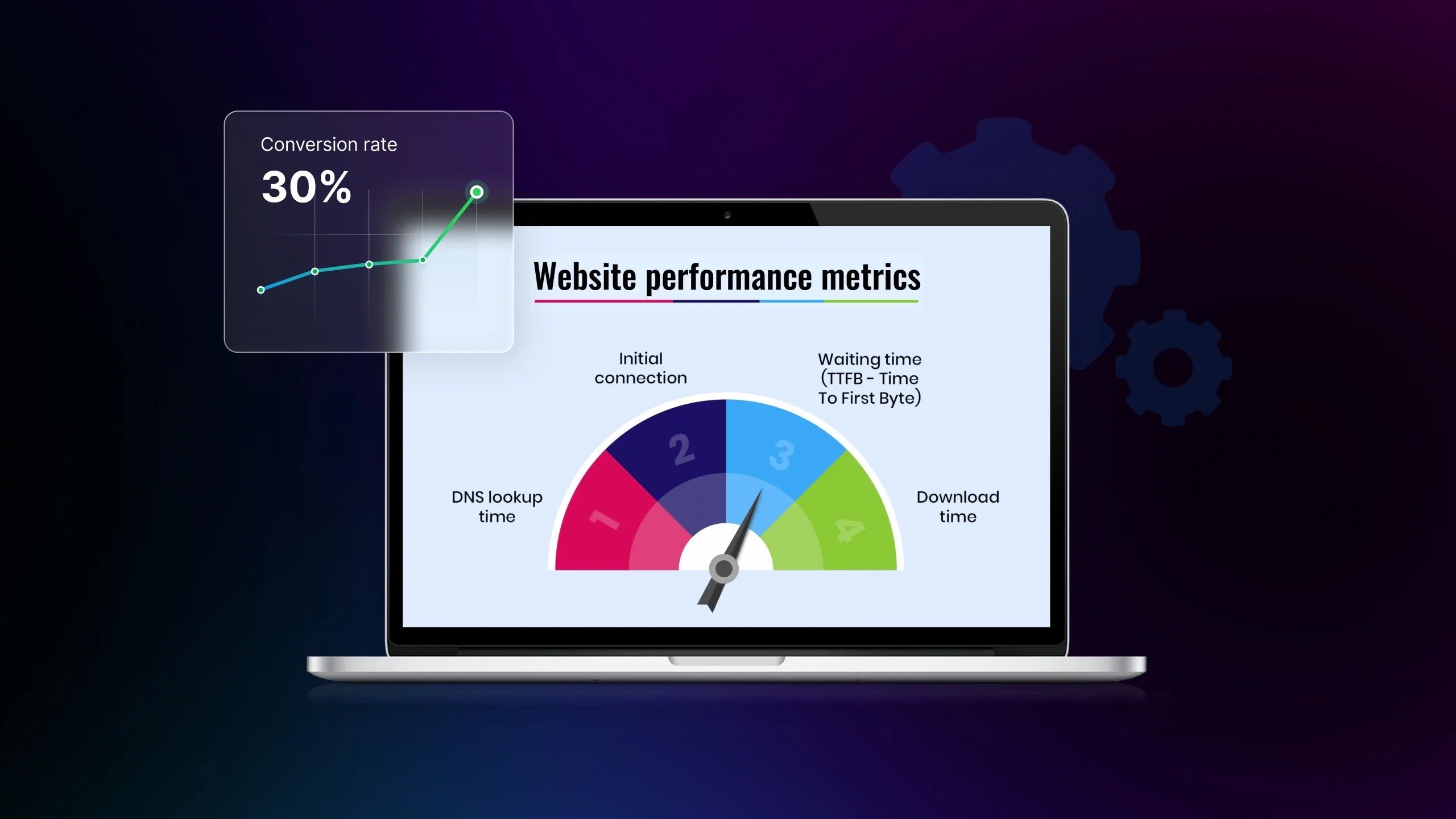
Many Shopify merchants regularly analyze website performance, but the process often stops at surface-level metrics. Page speed looks fine, traffic is increasing, and Core Web Vitals are within recommended ranges, yet conversion rates and revenue per session barely move. The issue is not missing data anymore. Now, it’s missing context.
In 2026, website performance analytics is closely tied to Shopify growth, conversion rate optimization (CRO), and informed A/B testing decisions. Performance insights should help teams understand how users experience the store, where friction occurs, and which changes are worth testing. This guide explains how to analyze website performance practically, so insights lead to experiments, and experiments lead to measurable revenue impact.
Why Website Performance Analytics Matter
Performance analytics is not just about whether a page loads fast enough. It’s about understanding how performance influences user experience, decision-making, and ultimately conversions across the store.
Performance analytics vs. Performance optimization
Performance optimization focuses on fixing issues. Performance analytics focuses on understanding impact. These two are related but not interchangeable.
A Shopify store can be technically optimized with compressed images, reduced scripts, and acceptable Core Web Vitals, but still struggles with engagement or checkout completion. Without analytics, teams may continue optimizing elements that have little effect on actual user behavior.
Performance analytics answers questions like:
-
Which pages experience performance-related drop-offs?
-
Does slower interaction on mobile correlate with lower add-to-cart rates?
-
Are performance improvements translating into measurable CRO gains?
This distinction matters because optimization without insight often leads to wasted effort.

The Hidden Cost of Poor Performance Analysis
When performance data is misread or oversimplified, Shopify teams risk making incorrect decisions. Common outcomes include:
-
Prioritizing speed fixes that don’t affect conversions
-
Running A/B tests based on assumptions instead of evidence
-
Misattributing CRO results to design changes while performance remains the real bottleneck
Over time, this creates a cycle where teams are busy optimizing but unsure what is actually driving growth. Performance analytics should reduce uncertainty, not add to it.
Learn more: Website Speed Optimization for Shopify: From Speed to Performance Lift
How High-Performing Stores Approach Performance Analytics
High-performing Shopify stores treat performance analytics as an input to experimentation, not a final report. Instead of asking “Is this page fast enough?”, they ask:
-
How does performance affect user behavior at each funnel stage?
-
Where does friction appear for different traffic segments?
-
Which performance-related insights are worth validating through A/B testing?
This approach allows teams to connect performance data with the CRO strategy. Tools and platforms such as GemX are often used at this stage, not to replace analytics, but to help teams validate performance-driven hypotheses through controlled experiments.
When performance analytics is aligned with conversion optimization and testing, it stops being a technical exercise and becomes a practical system for decision-making and sustainable Shopify growth.
What Website Performance Metrics You Should Analyze
Technical metrics are reviewed separately from behavioral data, and conversion numbers are checked without understanding what influenced them. This fragmented view makes it difficult to see how performance actually impacts user experience and revenue.
A more effective approach is to analyze performance metrics in layers. Each layer builds on the previous one, moving from technical stability to user behavior and, finally, to conversion impact. This structure helps teams understand not only what is happening, but why it matters for CRO.
#1. Technical Performance Metrics (Foundation layer)
Technical performance metrics form the baseline of website health. They don’t tell the full story, but without a stable foundation, deeper analysis becomes unreliable.
Core Web Vitals are the most common starting point. Metrics such as Largest Contentful Paint (LCP), Interaction to Next Paint (INP), and Cumulative Layout Shift (CLS) help assess loading speed, interactivity, and visual stability. For Shopify stores, these metrics are especially sensitive to theme structure, third-party apps, and client-side scripts.
However, “passing” Core Web Vitals should not be treated as a success metric on its own.
A store can meet recommended thresholds and still deliver a poor experience due to heavy scripts, delayed interactions, or inconsistent performance across devices.
Additional technical metrics worth tracking include:
-
Time to First Byte (TTFB), which often reflects backend or hosting constraints
-
Total page weight and JavaScript execution time
-
Performance differences between mobile and desktop environments

These metrics help teams identify constraints, but they do not explain user behavior. That insight comes from the next layer.
# 2: UX and Behavioral Performance Metrics (Experience layer)
Once technical stability is established, performance analysis should shift toward how users experience the site. This is where many CRO insights begin to surface.
Behavioral performance metrics help answer questions about engagement and friction. Bounce rate, engaged sessions, and scroll depth provide signals about whether users are able to interact with content smoothly. When these metrics are segmented by device or traffic source, performance-related patterns often become clearer.
For example, a high bounce rate on mobile landing pages may not be a messaging issue at all. It can be a sign of delayed interaction, layout shifts, or slow visual rendering that discourages users before meaningful engagement occurs.
Key behavioral metrics to monitor include:
-
Engagement rate versus bounce rate
-
Scroll behavior and content visibility
-
Click patterns that indicate hesitation or repeated attempts
These signals help teams connect performance conditions with real user behavior, rather than relying solely on technical benchmarks.
#3: Conversion and Funnel Performance Metrics (Revenue layer)
The final layer focuses on outcomes. Conversion metrics show where performance issues translate into lost revenue.
Instead of looking at a single store-wide conversion rate, high-performing Shopify teams analyze conversion behavior by page type and funnel stage. Product detail pages, add-to-cart actions, and checkout steps should be reviewed separately, as each stage has different performance sensitivities.
Metrics such as add-to-cart rate, checkout abandonment rate, and revenue per session help reveal where performance friction has the highest financial impact. Micro-conversions, such as variant selection or form interactions, can also act as early indicators of performance-related hesitation.

At this layer, performance analysis becomes directly actionable. Insights gathered here inform CRO prioritization and shape A/B testing hypotheses, ensuring that optimization efforts focus on changes that are most likely to affect revenue.
6 Practical Tips to Analyze Website Performance from High-Converting Shopify Stores
Analyzing website performance effectively is less about the number of tools in your stack and more about the discipline behind your process. Many Shopify brands have access to detailed analytics, session recordings, and performance reports, yet still struggle to turn insights into meaningful improvements. The gap usually appears when teams jump straight to fixes without building enough context.
High-converting stores approach performance analysis as a structured workflow. Each step reduces noise, sharpens insights, and increases the chance that performance findings translate into real CRO impact.
Tip 1: Segment Before You Analyze
Performance metrics rarely mean the same thing across all users. Looking at store-wide averages often hides the exact problems that affect conversions.
Before drawing conclusions, performance data should always be segmented by dimensions that influence user experience:
-
Device type, especially mobile vs desktop
-
Traffic source, such as paid, organic, or returning visitors
-
User type, including new vs returning customers
For example, a Shopify store may show acceptable average load times overall, while mobile users from paid traffic experience delayed interactions on landing pages. Without segmentation, this issue remains invisible. Segmenting early helps teams understand who is affected by performance issues and where those issues matter most in the funnel.
Just as importantly, segmentation prevents over-optimizing edge cases. High-performing teams focus performance improvements on segments that drive the majority of revenue or growth, not just the most noticeable outliers.
Tip 2: Diagnose Friction, Not Just Symptoms
Once data is segmented, the next step is identifying the real source of friction. A drop in engagement or conversion does not automatically point to a speed problem. Performance issues often overlap with UX clarity, interaction timing, or layout stability.
At this stage, combining quantitative and qualitative data becomes critical. Metrics such as bounce rate or engagement time indicate what is happening, but they rarely explain why. Session recordings, heatmaps, and interaction data provide the missing context.
For instance, repeated clicks on non-interactive elements or delayed form responses often signal performance-related frustration rather than poor design. Diagnosing friction accurately ensures that optimization efforts address the true constraint instead of surface-level symptoms.
Tip 3: Prioritize Performance Insights using CRO Frameworks
Not every performance issue deserves immediate attention. High-converting Shopify teams use prioritization frameworks to decide which insights should move forward into testing or development.
CRO frameworks like ICE or PIE can be adapted for performance analysis by evaluating:
-
Impact: How strongly the issue affects metrics such as add-to-cart rate or checkout completion
-
Confidence: How consistent the signal is across multiple data sources
-
Effort: The time and resources required to test or fix the issue

This approach keeps teams focused on changes that are both testable and likely to influence conversion behavior. Performance analysis becomes strategic when it informs what to test next, not just what to fix.
Tip 4: Translate Findings into Clear A/B Testing Hypotheses
Performance analysis reaches its highest value when insights are validated through experimentation. Without testing, teams risk confusing correlation with causation.
Instead of framing findings as vague problems, high-performing teams translate them into specific, testable hypotheses. A weak insight might be “the homepage feels slow.” A stronger hypothesis would be: reducing hero image load time will increase product discovery clicks on mobile traffic.

At this stage, experimentation platforms such as GemX help teams validate whether a performance-related adjustment actually improves user behavior or conversion metrics. This reduces risk and prevents permanent changes based on assumptions rather than evidence.
Tip 5: Always Define Guardrail Metrics for Performance Tests
One mistake many teams make is focusing only on primary conversion metrics during performance-related tests. While conversion lift matters, it should never be the only signal.
High-converting stores define guardrail metrics before launching tests. These often include interaction timing, layout stability, downstream funnel progression, and revenue per session. Monitoring guardrails ensures that a short-term win does not introduce long-term performance debt or degrade user experience elsewhere in the funnel.
Tip 6: Treat Performance Analysis as a Continuous Feedback Loop
Performance analysis should never be treated as a one-time audit. Shopify stores evolve constantly through new apps, campaigns, traffic sources, and experiments. Each change alters the performance landscape.
High-performing teams revisit performance insights regularly and feed learnings back into their CRO roadmap. Performance data informs experiments, experiments generate new insights, and those insights shape future optimization. When analysis follows this loop, performance stops being a technical checklist and becomes a sustainable growth system.
When performance analysis is structured this way, insights stop being passive observations. They become validated learnings that teams can confidently scale across the store. This is how high-converting Shopify brands turn performance analytics into measurable CRO impact.
Common Issues When Analyzing Website Performance
Even with the right metrics and tools in place, many Shopify teams still struggle to analyze website performance effectively. The issue is rarely a lack of data. More often, it’s how performance insights are interpreted, prioritized, and applied within a CRO workflow.
Understanding these common pitfalls helps teams avoid wasted effort and focus on analysis that actually supports growth.
Tool Obsession without Clear Questions
One of the most frequent issues is relying too heavily on tools without defining what questions need to be answered. Performance dashboards are checked, reports are exported, and scores are compared, but no clear hypothesis follows.
Without a guiding question, performance analysis becomes passive. Metrics are observed rather than investigated. High-performing teams start with intent: identifying where users may be struggling, which funnel stages are underperforming, and how performance might contribute to those outcomes. Tools should support that investigation, not replace it.
Over-fixing Speed while Ignoring User Experience
Speed is often treated as the primary performance goal. While load time matters, focusing exclusively on speed can be misleading. Many Shopify stores invest heavily in reducing page weight or script size, only to see little improvement in engagement or conversion.

This usually happens when UX friction is the real constraint. Layout instability, delayed interactions, or unclear content hierarchy can frustrate users even on technically “fast” pages. Performance analysis must consider how speed interacts with usability, especially on mobile devices, where expectations are less forgiving.
Misinterpreting Core Web Vitals without Context
Core Web Vitals are valuable benchmarks, but they are often misused as final verdicts. Passing thresholds does not guarantee a good experience, and failing scores do not always explain conversion issues.
A common mistake is treating Core Web Vitals as global indicators rather than segment-specific signals. Mobile traffic, paid landing pages, and high-intent product pages often behave very differently. Without segmentation and behavioral context, Core Web Vitals data can lead teams to optimize the wrong areas.
Running A/B Tests that Distort Performance Data
Performance-related A/B testing introduces its own risks. Tests that add scripts, load heavy variations, or lack proper guardrail metrics can distort results. In some cases, a “winning” variation appears successful simply because it loads differently, not because it improves user experience.

This is where CRO-focused experimentation platforms like GemX become important. By aligning performance monitoring with experimentation, teams can reduce the risk of false positives and ensure that performance changes are evaluated alongside conversion outcomes, not in isolation.
Treating Performance Analysis as a One-time Task
Finally, many Shopify teams approach performance analysis as a project rather than a system. An audit is completed, fixes are shipped, and performance is assumed to be “done.”
In reality, performance changes continuously. New apps, campaigns, traffic sources, and experiments all influence how a store behaves. When performance analysis is not revisited regularly, insights become outdated, and optimization efforts lose relevance.
Sustainable Shopify growth requires treating performance analysis as an ongoing input to CRO and experimentation, not a one-off checklist.
Final Words
In this guide, you’ve seen how performance analysis goes beyond surface-level metrics and becomes a practical system for understanding user behavior, prioritizing CRO opportunities, and making smarter testing decisions. For Shopify merchants and eCommerce teams, this matters because even small performance frictions can quietly limit conversion rate, revenue per session, and long-term growth. When done correctly, the ability to analyze website performance helps teams move from reactive fixes to intentional experimentation that compounds over time.
If you want to keep building this skill set, exploring CRO-focused experimentation resources from GemX is a natural next step to turn insights into validated learning.
FAQs about Website Performance Analysis


