


- What Is A/B Testing on Shopify
- How A/B Testing on Shopify Works (Practical Step-by-Step)
- When A/B Testing Makes Sense for Shopify Stores
- What to A/B Test on Shopify (Pages, Funnels, and Offers)
- Power Your Shopify A/B Tests With GemX (Beyond Page-Level Experiments)
- How to Set Up Your A/B Test With GemX in Minutes
- Final Words
- FAQs about A/B Testing on Shopify
A/B testing on Shopify is no longer a “nice-to-have” tactic. It’s now a core discipline for merchants seeking to enhance conversions without continually increasing traffic or ad spend. Many Shopify stores invest heavily in new themes, landing pages, or promotions, yet struggle to understand which changes actually influence buyer behavior and which simply add noise to the funnel.
From hands-on CRO work across Shopify stores at different growth stages, one pattern is consistent: teams that treat A/B testing as a structured learning system make better decisions over time.
This article breaks down how A/B testing works in a Shopify context, when it delivers reliable insights, what elements are worth testing, and how merchants can move beyond isolated page tests to optimize full customer journeys with confidence.
What Is A/B Testing on Shopify
A/B Testing Explained for Shopify Merchants
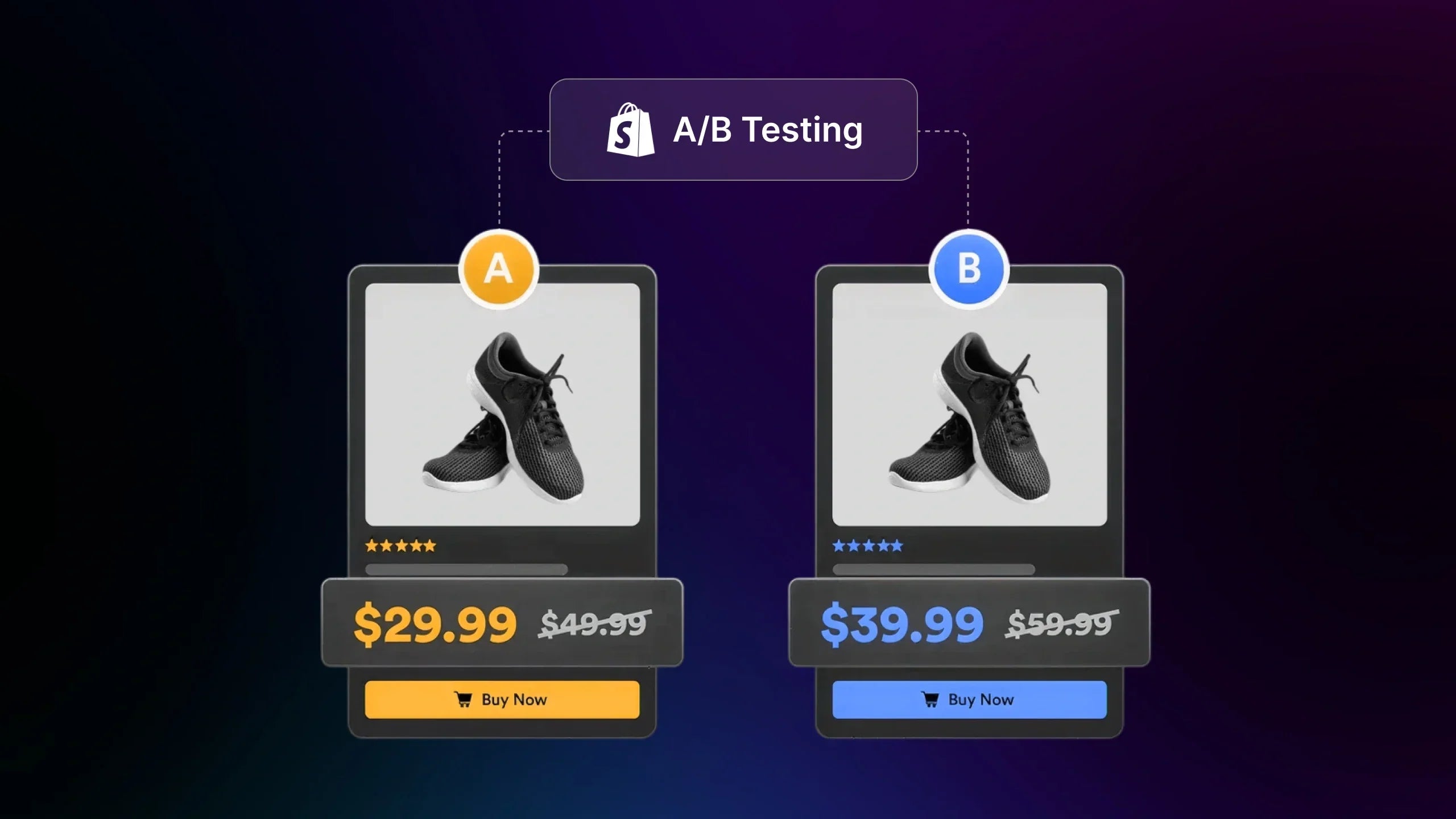
At its core, A/B testing on Shopify is a controlled way to compare two versions of the same page, template, or experience to see which one performs better against a specific business goal. One version acts as the control (what’s currently live), while the other is the variant (a single, intentional change). Traffic is split randomly between the two, and performance is measured using metrics like conversion rate, revenue per visitor, or add-to-cart rate.

What makes A/B testing especially valuable for Shopify merchants is its practicality. You’re not guessing whether a new headline, product image, or layout “feels” better. You’re validating changes based on real shopper behavior. Over time, these small, evidence-based improvements compound into meaningful gains across the funnel.
What A/B Testing Is Not
A/B testing is often misunderstood, which leads to unreliable results. It is not about redesigning an entire page and hoping for the best. When too many elements change at once, it becomes impossible to know what actually influenced performance. It’s also not a one-off tactic you run once and forget. Testing works best as a continuous process, where each experiment builds on what you’ve already learned.
Another common misconception is treating A/B testing as a shortcut to quick wins. Not every test will produce a lift, and that’s normal. A “losing” test can still be valuable if it clarifies what doesn’t motivate your audience. Finally, A/B testing isn’t about blindly copying competitors. What works for another Shopify store, audience, or product category may not work for yours.
Why the Shopify Context Changes How You Test
Shopify introduces its own constraints and opportunities that shape how A/B testing should be approached. Most stores rely on themes, templates, and apps, which means experiments often happen at the page or template level rather than through fully custom code. Checkout customization is limited for non-Plus stores, so testing efforts need to focus earlier in the funnel: on product discovery, product pages, carts, and post-purchase flows.
Shopify buying journeys are also inherently funnel-driven. A winning product page doesn’t always translate to higher revenue if it creates friction later in the cart or checkout. That’s why effective A/B testing on Shopify looks beyond isolated page changes and considers how experiments affect the full customer journey. Understanding this context is essential to running tests that produce insights you can actually trust and apply.

How A/B Testing on Shopify Works (Practical Step-by-Step)
Step 1: Define a Clear Business Goal
Every effective A/B test on Shopify starts with a specific business goal, not a vague desire to “improve conversions.” Without a clear goal, even statistically significant results can be misleading.
Common goals Shopify merchants test against include:
-
Increase product page conversion rate
-
Improve add-to-cart rate
-
Lift revenue per visitor (RPV)
-
Reduce drop-off between product page and cart
The key is alignment. Your test goal should connect directly to revenue or funnel performance, not surface-level engagement alone.
Learn more: How GemX Journey Analysis Help You Identify Drop-offs
Step 2: Turn the Goal Into a Testable Hypothesis
Once the goal is defined, translate it into a hypothesis that explains why a change might work. A strong hypothesis links observed data to an expected outcome.
A practical structure many CRO teams use is:
-
Because you see a specific data point or behavior
-
You believe a focused change will improve performance
-
You’ll measure success using a defined metric
Example:
| Because mobile users show a lower add-to-cart rate than desktop users, we believe simplifying the product page layout will increase mobile add-to-cart rate. |
This step forces discipline and prevents random testing.
Step 3: Create the Variant (One Change Only)
With a hypothesis in place, you can create the variant. In Shopify A/B testing, restraint matters more than creativity.
Best practices:
-
Change one primary variable only (headline, CTA, image, layout)
-
Keep pricing, traffic sources, and promotions consistent
-
Avoid stacking multiple ideas into a single variant

This isolation is what allows you to confidently attribute performance changes to a specific decision.
Step 4: Split Traffic Randomly and Consistently
After setup, traffic must be split randomly between the control and variant. Randomization ensures external factors, such as device, location, or behavior, don’t skew results.
Key principles:
-
Each visitor should see the same version throughout the test
-
Traffic distribution should remain stable
-
Avoid manual routing or biased targeting unless intentionally testing segments
Most Shopify A/B testing tools handle this automatically, but it’s still critical to verify setup accuracy.
Learn more: How to Split Traffic and Configure Targeting in Advanced Settings
Step 5: Run the Test for a Full Business Cycle
Test duration is one of the most common failure points. For most Shopify stores, tests should run for 2–4 full business cycles, often translating to 2–4 weeks.
Why this matters:
-
Buying behavior varies by weekday
-
Campaign spikes (ads, email, promos) can distort short tests
-
Many shoppers require multiple visits before converting
Stopping a test early, especially after seeing early lifts, often leads to false positives.
Step 6: Collect and Validate Performance Data
While the test is running, data collection should remain passive. Avoid mid-test changes that can invalidate results.
Ensure:
-
Tracking is firing correctly
-
Metrics match the original goal
-
External disruptions (site issues, major campaigns) are noted
Clean data is more valuable than fast data.
Step 7: Analyze Results and Decide the Next Action
Once the test concludes, analysis begins. Outcomes typically fall into three categories:
-
Variant wins: Roll out the change and iterate
-
No meaningful difference: The change may not matter, and you should move on
-
Variant loses: Extract insight and refine assumptions

Segmentation adds depth at this stage. Even “losing” tests may reveal wins across:
-
Mobile vs desktop
-
New vs returning users
-
Paid vs organic traffic
The real value of A/B testing on Shopify isn’t just choosing winners. It’s building a reliable understanding of what actually influences customer behavior across your funnel.
When A/B Testing Makes Sense for Shopify Stores
A/B testing on Shopify delivers the most value when the conditions are right. Knowing when to test and when to step back helps merchants avoid misleading results and wasted effort.
When You Should Run A/B Tests
A/B testing works best once your store has enough consistent traffic to support reliable comparisons. In practice, this usually means thousands of sessions per month on the page or funnel you want to test.
Industry benchmarks support this. According to CXL, most A/B tests require several thousand users per variation to reach statistical reliability, depending on baseline conversion rates and expected lift.
From CRO work with Shopify merchants, tests tend to perform well when:
-
The store already converts at a steady baseline
-
The offer and pricing are validated
-
The page being tested sits on a critical funnel step, like a product page or cart
For example, testing a product page layout makes sense when traffic is stable and the product already sells. At that point, small changes can reveal real behavior patterns rather than noise.
This is also where internal resources like Shopify product page optimization content can naturally support deeper testing ideas.
When A/B Testing Is a Bad Idea

There are situations where A/B testing on Shopify creates more confusion than clarity. Low traffic is the most common issue. When only a few hundred users visit a page each month, results swing easily due to randomness.
Another red flag is obvious usability problems. If users cannot find the add-to-cart button or if images load slowly, these issues should be fixed immediately. Testing them only delays improvement.
A/B testing is also risky when major changes happen mid-test, such as when your store has theme updates, heavy discounts, or large ad pushes. These shifts contaminate results and make conclusions unreliable.
What to Do Instead Before Testing
If your store is not ready for A/B testing, focus on qualitative and diagnostic work first. These methods often deliver faster insights for early-stage or low-traffic stores.
Practical alternatives include:
-
Watching session recordings to spot friction.
-
Running short user tests on product pages.
-
Reviewing funnel drop-off in analytics.
For context, Baymard Institute reports that the average large e-commerce site still has a checkout usability score below 70%, showing how much low-hanging UX work exists before testing even begins.
These steps help you identify what is broken versus what is uncertain. Once the obvious issues are resolved and traffic grows, A/B testing becomes far more reliable.
What to A/B Test on Shopify (Pages, Funnels, and Offers)
Not all tests carry the same weight. The biggest gains usually come from testing elements that directly influence buying decisions and reduce friction across the customer journey.
High-Impact Page Elements
Product pages and landing pages are often the first place Shopify merchants start testing. That makes sense because these pages handle intent-heavy traffic.
Common elements worth testing include:
-
Headlines and value propositions that clarify why the product matters.
-
Product images and media, such as lifestyle photos versus studio shots.
-
Call to action buttons, including wording, size, and placement.
-
Social proof placement, like reviews near the buy button vs. lower on the page.

Real store experience shows that clarity usually outperforms creativity. A clearer headline often beats a clever one. According to Baymard Institute, 18% of e-commerce users abandon purchases due to unclear product information.
This is where internal content like Shopify product image optimization fits naturally. Visual hierarchy and image clarity often have a stronger impact than stylistic changes.
Learn more: GemX Use Case Series: A/B Test Multiple Headlines
Funnel-Level Tests That Matter More Than Pages
Page-level wins do not always translate into revenue growth. Shopify funnels are sequential, and friction later in the journey can cancel out earlier gains.
High-value funnel tests often focus on:
-
The transition from homepage to product discovery
-
Product page to cart experience
-
Cart layout and trust signals before checkout
-
Post-purchase upsells and confirmation flows
From CRO work with Shopify merchants, it is common to see a product page variant increase add to cart rate while total orders stay flat. The reason is usually friction introduced in the cart or confusion around shipping and returns.
Data supports this. Baymard reports that nearly 70% of carts are abandoned on average across e-commerce. Many of these exits are tied to unexpected costs or unclear next steps rather than the product itself.
Testing funnel steps together provides context. This is also where internal resources like Shopify funnel optimization strategies can deepen understanding before running experiments.
Offer and Pricing Presentation Tests
Pricing tests on Shopify require caution. Showing different base prices to similar users can damage trust. Instead, focus on how pricing is presented.
Safer and effective tests include:
-
Price anchoring with a comparison at pricing
-
Bundle layouts that shift perceived value
-
Savings messaging, such as percentages versus dollar amounts
-
Shipping and returns clarity near the price

In practice, many merchants see lifts simply by moving shipping information closer to the price area. According to Baymard, unexpected extra costs are the number one reason for cart abandonment. Making costs visible earlier often reduces friction without changing the price itself.
By focusing on pages, funnels, and offer presentations together, A/B testing on Shopify becomes more than cosmetic tweaks. It becomes a structured way to understand what truly moves customers from interest to purchase.
How to Build a Reliable A/B Testing Process That Scales
Strong results from A/B testing on Shopify rarely come from isolated experiments. They come from a repeatable process that helps teams decide what to test, how to measure success, and how to turn results into long-term improvements.
Prioritizing Tests With ICE, PIE, and PXL
Once ideas start piling up, prioritization becomes critical. Without it, teams often test what feels interesting instead of what will move revenue.
Three frameworks are commonly used by CRO teams:
-
ICE focuses on Impact, Confidence, and Ease
-
PIE looks at Potential, Importance, and Ease
-
PXL uses structured yes or no questions to reduce subjectivity
In real Shopify projects, simpler frameworks like ICE work well for small teams. PXL becomes useful as experimentation volume grows and multiple stakeholders are involved. A practical rule from experience is to favor tests that sit closer to revenue. Product pages and carts usually deserve attention before secondary content pages.
Choosing Metrics That Reflect Real Growth
Many Shopify merchants rely too heavily on conversion rate alone. While useful, it does not always reflect business impact.
Stronger test evaluation often includes:
-
Revenue per visitor to capture value, not just volume.
-
Add to cart rate to diagnose product page clarity.
-
Funnel drop-off to understand where users hesitate.
For example, a variant may reduce conversion rate slightly but increase average order value. In practice, that can still be a win if total revenue grows.
Google highlights revenue-focused metrics such as value per session as more reliable indicators of optimization success than single-action metrics.
Learn more: Understanding Key Metrics and Session Views
Using Segmentation to Extract Deeper Insights
Looking only at overall results often hides important signals. Segmentation helps explain why a test behaved the way it did.
Common segments worth reviewing include:
-
Mobile versus desktop users.
-
New versus returning customers.
-
Paid traffic versus organic traffic.
In real Shopify stores, mobile users frequently respond differently to layout and content density. A variant that underperforms overall may still win on mobile, which can guide future iterations.
Pro tip: The goal of a scalable process is not to run more tests. It is to learn faster and apply those insights consistently across the store.
Power Your Shopify A/B Tests With GemX (Beyond Page-Level Experiments)
As Shopify stores grow, many teams discover a hard limitation of traditional A/B testing. Page-level wins do not always translate into higher revenue. A button change may lift clicks on a product page, yet total orders remain flat because friction appears later in the journey.
This is where experimentation needs to evolve.
Why Page-Level A/B Testing Breaks at Scale
Page-focused tests are useful, but they only show part of the picture. While Shopify's buying behavior is sequential, your customers move from discovery to product evaluation, then to cart and checkout. In such cases, each step influences the next.
From real CRO work, a common pattern looks like this. A new product page layout increases the add-to-cart rate, but cart abandonment rises at the same time. The test appears successful in isolation, yet the funnel outcome does not improve. Without visibility across steps, teams risk optimizing locally while losing globally.
Research supports this view. According to Baymard Institute, most cart abandonments are caused by friction that appears after the product page, such as unexpected costs or unclear next steps.
This is why relying only on page metrics can lead to misleading conclusions.
What Full-Funnel A/B Testing Looks Like on Shopify
Full-funnel A/B testing shifts the focus from individual pages to connected experiences. Instead of asking whether one page performs better than another, the question becomes whether an entire path converts more effectively.
In practice, this includes testing:
-
Template-level changes that affect multiple product pages
-
Multipage flows, such as homepage to product to cart
-
Variations in how information is revealed across steps

This approach helps teams understand cause and effect. When a funnel test performs better, it becomes clearer which combination of changes supports purchase intent rather than disrupting it.
How Shopify Teams Use GemX in Practice
GemX is designed for this broader experimentation mindset. Instead of forcing teams to stitch together page data manually, it allows Shopify merchants to test journeys while still keeping setup practical.
In real store scenarios, Shopify merchants use GemX to:
-
Compare different product page templates across collections.
-
Test multipage funnels without rewriting theme code.
-
Evaluate results using Shopify-native metrics rather than isolated events.
The advantage is not running more tests. It is running fewer tests with clearer outcomes. When results reflect the full customer journey, decisions feel more confident and less reactive.
This is where A/B testing on Shopify moves from tactical optimization to strategic growth. Experiments stop being about small design debates and start answering questions that directly affect revenue and scalability.
How to Set Up Your A/B Test With GemX in Minutes
GemX is designed to remove the usual friction from A/B testing on Shopify. Once you have a clear hypothesis, setting up an experiment becomes a short, focused workflow that keeps your attention on learning rather than configuration.
Step 1: Start From Your Hypothesis to Select the Experiment Type
Every GemX test should begin with a clear hypothesis and a defined testing location. Before opening the app, identify the page or flow that directly influences the behavior you want to improve.
In GemX, select the experiment type that best matches that hypothesis. Common choices include a single-page test for focused changes, a template test when the same idea applies across multiple products, or a multipage test when comparing full customer journeys. Choosing the right experiment type upfront keeps results easier to interpret later.
Step 2: Select the Control Template
Next, choose the control template. This represents the current live version of the page or template that your store already uses.
In real Shopify workflows, the control should be stable and free from ongoing changes. Avoid pages tied to short-term promotions or active redesigns. A consistent control makes it much easier to trust performance differences once the test runs.
Learn more: How to Run Your First Experiment with GemX
Step 3: Select the Variant Template
After defining the control, select the variant template. This is where the hypothesis becomes a concrete experiment.
The most reliable variants focus on one primary change that directly supports the hypothesis. This might involve adjusting content hierarchy, changing layout structure, or refining key messaging. Keeping other elements consistent helps isolate cause and effect and avoids muddy results.
Step 4: Choose the Winning Metric and Configure Advanced Settings
Before launching, define how success will be measured. Select the winning metric that best reflects your original goal, such as conversion rate, revenue per visitor, or add-to-cart rate.

GemX also allows you to configure advanced settings like targeting. This can be useful when your hypothesis applies to a specific audience, such as mobile users or returning customers. Targeting should always support the hypothesis rather than be applied by default.
Step 5: Review and Launch Your Test
Finally, review the experiment setup to ensure the control, variant, metric, and targeting align with your testing intent. Once everything looks correct, launch the test and allow it to run without interruption.
Avoid making mid-test changes or stopping early based on partial results. GemX manages traffic allocation automatically, letting you focus on analyzing outcomes rather than managing logistics.
By following these steps, Shopify teams can move from hypothesis to live A/B test quickly, making experimentation with GemX a natural and repeatable part of everyday CRO work.
Final Words
A/B testing gives Shopify merchants a reliable way to move beyond assumptions and make decisions based on how real customers behave across pages and funnels. When done with clear goals, disciplined execution, and thoughtful analysis, testing becomes a long-term learning system that supports sustainable growth rather than short-term wins. For merchants who want to improve performance without increasing traffic costs, A/B testing on Shopify is one of the most practical levers available.
To keep building confidence in your experiments, continue exploring proven CRO frameworks and real Shopify use cases through GemX resources designed to support deeper learning and smarter optimization.
FAQs about A/B Testing on Shopify


