- What Is A/B Testing for Mobile Apps?
- Why Mobile App A/B Testing Matters
- How A/B Testing Works in Mobile Apps (Step-by-Step)
- 10+ High-Impact A/B Testing Ideas for Mobile Apps in 2026
- Top 7 User-Friendly A/B Testing Tools for Mobile Apps
- Common Mistakes to Avoid in Mobile App A/B Testing
- Final Words
- Frequently Asked Questions
When it comes to improving a mobile app, guessing is risky and often expensive. That’s why more product teams are turning to A/B testing for mobile apps. Instead of relying on gut feeling, you can compare two versions of a feature, design, or user flow and see which one your users naturally respond to.
Whether you're optimizing onboarding, testing a new paywall, adjusting push notification timing, or validating a feature before a full rollout, mobile app A/B testing gives you clarity. It helps you learn what actually improves engagement, retention, and revenue. All based on real user behavior.
Today, let’s break down how mobile A/B testing works, what to test, and the tools that make experimentation easier than ever. Simple, practical, and focused on helping you ship better experiences with confidence.
What Is A/B Testing for Mobile Apps?
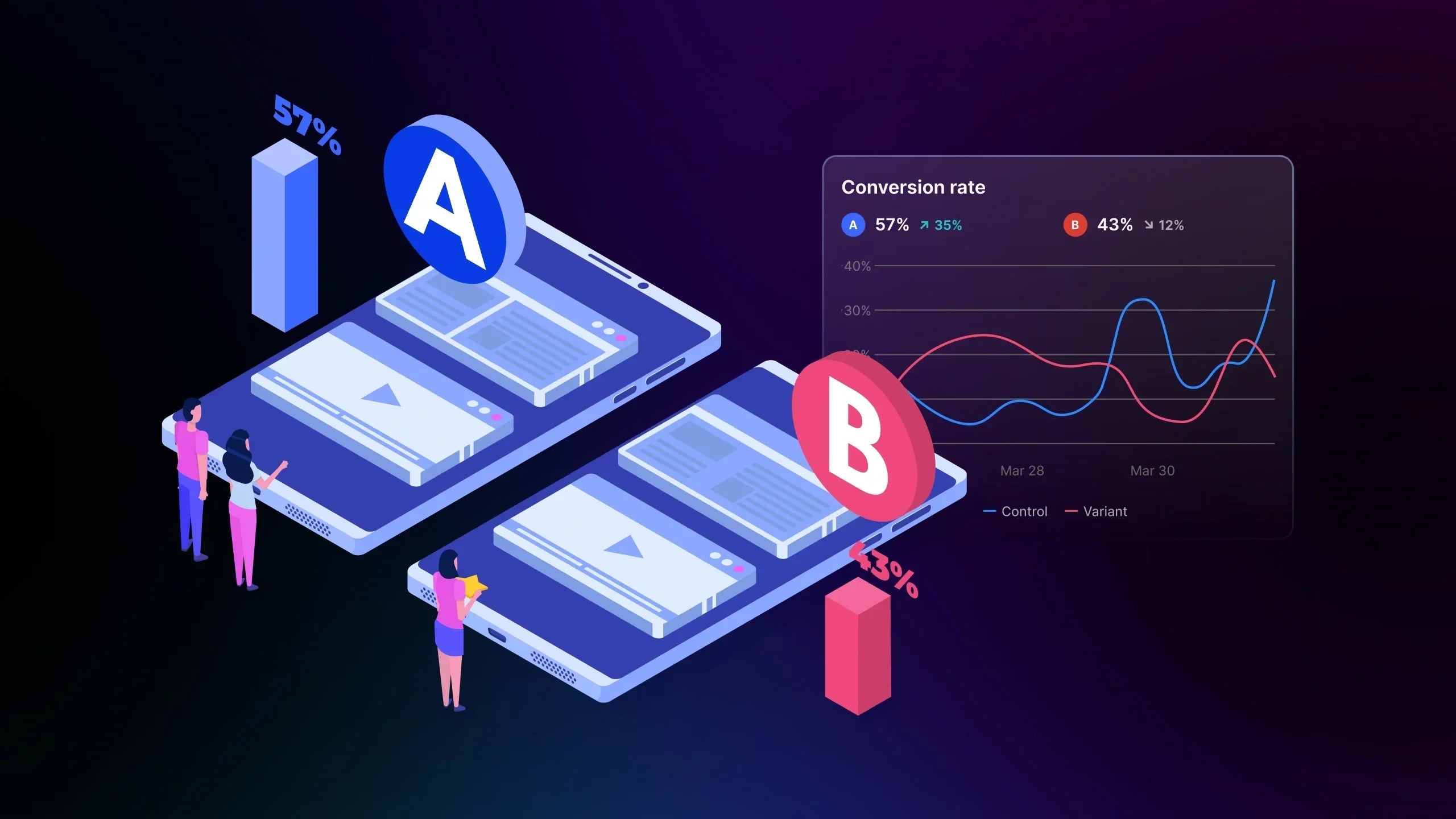
A/B testing for mobile apps is the process of showing two different versions of an in-app experience to separate groups of users, then measuring which one performs better. Instead of assuming what users prefer, you let real behavior guide your product decisions.
In mobile app A/B testing, users are randomly assigned to Variation A or Variation B. Each group sees a different UI element, flow, feature, or message. Once enough users interact with the test, you can compare results with statistical confidence and understand which version improves engagement, retention, or conversions.
For example, you might test:
-
Two onboarding flows
-
Different paywall layouts
-
Button designs or CTA wording
-
Push notification timing
-
Feature placements or navigation changes
The key difference between mobile vs. web testing is the environment. Mobile apps often rely on SDKs, feature flags, and server-side logic because updating an app through the store takes time. That’s why many teams test safely behind flags, roll out gradually, and push the winning experience only when they’re confident.
A/B testing helps you build features users actually want, reducing risk, improving UX, and accelerating product growth.

Why Mobile App A/B Testing Matters
Mobile app A/B testing is not just a “nice-to-have”, it is now one of the most reliable ways to understand what truly drives user behavior. Mobile users are quick to drop off, uninstall, or ignore features that don’t feel intuitive. A/B testing helps you spot these issues early and fix them before they hurt retention or growth.
Instead of rolling out big releases and hoping they work, product teams can test small improvements first: a shorter onboarding flow, a clearer paywall layout, or a more relevant push notification. These small wins compound over time, improving engagement and making the entire app feel smoother.
Mobile apps also face unique constraints: app store approvals, performance considerations, and different OS environments. With mobile experimentation, you can validate changes behind feature flags, release gradually, and roll back instantly if something doesn’t land well. This reduces risk and gives teams the confidence to ship faster.
Ultimately, mobile A/B testing matters because it brings clarity. You stop guessing, start learning from real users, and build an app that consistently improves based on evidence, not assumptions.
How A/B Testing Works in Mobile Apps (Step-by-Step)
For Shopify merchants building companion mobile apps or relying on mobile-heavy traffic, A/B testing is one of the simplest ways to validate product decisions before risking user churn.
Since more than 59% of online retail traffic comes from mobile devices, knowing how in-app testing works can help you refine user flows, improve engagement, and strengthen conversion paths across both app and web.
1. Define Your Hypothesis and Metric
Every successful experiment starts with a clear, focused question. Think of your hypothesis as your “why.” For example:
|
“If we shorten our account creation form, more users will complete onboarding.” |
From working with Shopify merchants, the most effective hypotheses usually connect directly to user friction: slow onboarding, confusing paywalls, or unclear CTAs.
Once the hypothesis is set, choose one primary metric. Common examples include:
-
Onboarding completion rate
-
CTR on feature cards or banners
-
Paywall conversion rate
-
Add-to-cart rate (for apps tied to a mobile store)
-
User retention on Day 1 or Day 7
Pro tip: A simple visual table comparing “Hypothesis → Metric → Expected Outcome” can help teams stay aligned.
2. Create Your Variations
Variation A is your current experience. Variation B should contain only one meaningful change, so you can attribute results accurately.
In real Shopify scenarios, these tests might include:
-
Changing the CTA on a product restock alert inside the app
-
Updating the UI of a “Shop the Look” feature
-
Testing whether showing fewer steps improves checkout flow inside a mobile storefront
-
Changing the paywall layout for subscription-based stores
When building mobile variants, keep non-essential elements identical. This keeps your test clean and minimizes bias.
3. Segment Your Users Thoughtfully
Audience segmentation is one of the biggest advantages of mobile app A/B testing. Because apps often maintain more stable sessions than websites, segmentation can be highly precise.
You can target users by:
-
App version (e.g., only show Variation B to users on 2.3.0+)
-
Platform (iOS vs Android)
-
Geography or language
-
Lifecycle stage (new vs returning users)
-
Historical behaviors (e.g., users who browse but don’t purchase)
If your app uses push notifications, segmentation helps you prevent skewed results, such as testing new notification copy only on devices that historically have lower opt-in rates.
Pro tip: Keep groups randomized and similar in size to avoid selection bias.
4. Roll Out Variations (Client-Side vs Server-Side)
Most mobile A/B testing platforms support two approaches. Understanding the difference prevents surprises during rollout.
|
Client-Side Testing |
Server-Side Testing (Recommended) |
|
|
How it works |
UI changes are rendered directly in the app via code or SDK logic. Updates often require modifying the app bundle. |
Experiment logic runs on the server; the SDK delivers variations instantly without updating the app in the store. |
|
Best for |
|
|
|
Pros |
|
|
|
Cons |
|
|
|
Best for |
Early-stage teams testing minor UI elements. |
Scaling teams that need rapid, safe experimentation and controlled feature releases. |
5. Collect Data and Monitor User Behavior
Once the test is live, your analytics pipeline becomes critical. Reliable A/B testing tools track:
-
Button taps
-
Scroll depth
-
Paywall impressions
-
Session duration
-
Purchase events (for apps connected to Shopify stores)
If your brand uses Shopify Mobile App Builder tools, tie key events back to store actions such as add-to-cart or product view → checkout start. These signals help you catch mismatches, like when app onboarding improves but checkout completion drops.
As mobile users typically abandon onboarding within 10 seconds if steps are unclear, this is why tests that reduce cognitive load often perform best.
6. Analyze the Results and Draw Conclusions
Once you have enough data, compare both variants using either frequentist or Bayesian models (your tool handles this behind the scenes). Focus on:
-
The primary metric
-
Secondary metrics (supporting behaviors)
-
Confidence level or probability to beat baseline
-
Sample size thresholds
Real advice from CRO work: Don’t declare a winner too early. Many breakthrough wins come from second or third rounds, not the first.
Almost all mobile tests fluctuate heavily during the first 48 hours, especially around weekends or peak notification windows. If Variant B wins, ship it and monitor its long-term impact. In case the results are inconclusive, iterate with a refined hypothesis.
Learn more: How to View and Read Your Experiment Analytics
10+ High-Impact A/B Testing Ideas for Mobile Apps in 2026
Great experiments don’t come from guessing. They come from understanding where users struggle, what motivates them, and which parts of your app influence conversion behavior the most. Below are the most high-impact A/B testing ideas inspired by real merchant scenarios, app analytics patterns, and common friction points in mobile UX.
These ideas work whether you're improving onboarding, retention, or monetization, and they’re fully compatible with modern A/B testing workflows.
1. Onboarding Flow Experiments
First impressions decide whether users stick around. According to UXCam’s onboarding benchmark, users drop off by nearly 56% within the first session if the flow feels too long or unclear.
High-leverage tests include:
-
Short vs. multi-step onboarding
-
Social login vs. email-only
-
Showing value props early vs. after signup
-
Adding progress indicators vs. no indicators
Shopify context: For stores with mobile shopping apps, test whether showing “Shop your recommended products” during onboarding improves engagement.
2. CTA Copy, Button Styling & Placement
Button clarity is a surprisingly strong lever in mobile app A/B testing. Even subtle changes like color, size, or microcopy can shift engagement.
Examples to test:
-
“Unlock Deal” vs. “See Offer Now”
-
Sticky bottom button vs. inline button
-
Icon + text vs. text only
CRO insight: Merchants often see higher tap-through when CTA text references a benefit rather than an action.
3. Paywall, Pricing & Subscription Experiments
If your mobile app includes gated content, subscription tiers, or VIP access, paywalls are often the biggest revenue driver—and one of the best A/B test candidates.
Best ideas to test:
-
Monthly vs. annual pricing emphasis
-
Screenshots vs. value bullets
-
Free trial length (3 days vs. 7 days)
-
One-page paywall vs. multi-step explanation
Real-world insight: Merchants who sell subscription boxes often test bundled perks (e.g., “Free shipping & early access”) to see which value driver resonates most.
4. Push Notification Timing & Messaging
Push notifications can improve retention, but only when done right. The best tests help find the sweet spot between useful and disruptive.
What to test:
-
Timing: immediate vs. delayed notifications
-
Frequency: 1 per day vs. 3 per week
-
Personalised copy vs. generic messaging
-
Promotional vs. content-first notifications
Pro tip: Test whether sending restock alerts in the evening improves tap-through for fashion brands.
5. Navigation & Feature Discoverability
Mobile screens are small. Small navigation changes can significantly affect how users browse, shop, and complete tasks.
Experiments to run:
-
Tab bar icons vs. labeled tabs
-
Search-first homepage vs. product-first layout
-
Highlighting new features in the “Explore” tab
-
Adding a floating action button for quick actions
In our work with fast-fashion merchants, adding a “New Arrivals” tab consistently improved product exposure for new collections, worth testing across app user cohorts.
6. Product Detail Page (PDP) Optimization Tests
For mobile shopping apps tied to Shopify, PDPs directly influence sales. Try one of these ideas worth applying to your app:
-
Short vs. long product descriptions
-
Different product image order
-
Sticky ATC vs. static ATC button
-
Showing “Only X left” inventory message
Important note: Google research shows 53% of users abandon pages that feel slow, which means PDP clarity and speed directly affect conversions.
7. Checkout & Purchase Flow Tests
Anything that reduces friction improves revenue. Even single-step changes can impact conversion.
Examples:
-
One-page checkout vs. two-step
-
Autofill-enabled fields vs. manual entry
-
Displaying trust badges at top vs. bottom
-
Guest checkout vs. login-required
Pro tip: Because the checkout experimentation depends on your mobile app builder and payment provider constraints, always validate technical feasibility first.
8. Content Layout & In-App Merchandising
Your mobile storefront’s content hierarchy affects how users browse and what they buy.
Try testing:
-
Hero image vs. product grid as first-screen content
-
Personalized recommendations vs. general collections
-
Collapsible sections vs. full content exposure
-
Displaying reviews early in the content order
9. Ad Placement & Frequency (If Monetized)
For apps with in-app ads, small placement changes can dramatically shift both revenue and user satisfaction.
Good experiments include:
-
Banner ads vs. native ads
-
Showing fewer ads for new users
-
Testing reward-based ads vs. passive ads
-
Changing the timing of interstitial ads
Pro tip: Start conservative, because too-aggressive ad tests can inflate churn.
10. Feature Rollout & User Cohort Testing
For apps updated frequently, testing features behind flags (server-side experiments) is one of the safest and highest-impact experimentation methods.
You can test:
-
New navigation patterns
-
Recommendation engine improvements
-
Personalized home feed layouts
-
Faster checkout logic
-
Internal search algorithm changes
Top 7 User-Friendly A/B Testing Tools for Mobile Apps
Choosing the right experimentation stack matters as much as the tests you run. For Shopify merchants with native mobile apps, your A/B testing tool determines how safely you can roll out features, how fast you iterate, and how reliable your insights are. Below is a curated set of A/B testing tools for mobile apps, each suited to different product teams, tech stacks, and growth stages.
Instead of listing every platform on the market, this section focuses on tools that realistically support A/B testing for mobile app workflows at scale.
#1. LaunchDarkly – Best for Feature Flags & Safe Rollouts
LaunchDarkly is ideal if you see experimentation as part of your release strategy, not just UI tweaks. Its feature flag system lets you gradually roll out features, target specific user segments, and instantly turn off underperforming variations.
Why it works well for eCommerce apps:
You can safely test new recommendation logic, navigation changes, or loyalty features without risking a bad global release, critical during big campaigns or seasonal sales.
Highlights:
-
Powerful server-side experimentation
-
Granular targeting and segmentation
-
Instant rollback without app-store updates
#2. Optimizely – Best for Enterprise-Grade Experimentation
Optimizely offers a mature experimentation suite, including mobile SDK support, making it a strong fit for larger teams that need rigorous control and reporting.
Where it shines:
-
A/B, multivariate, and personalization experiments
-
Consistent experimentation framework across web and mobile
-
Reliable stats engine for data-driven decisions
This is a good match for brands running both a high-traffic Shopify storefront and a native app, and wanting a consistent testing strategy across channels.
#3. Apptimize – Best Mobile-First A/B Testing Platform
Apptimize is built with mobile apps A/B testing as the core use case. It’s amicable for product teams focused on UX, onboarding, and in-app engagement.
Strengths:
-
Visual editor for mobile UI experiments
-
Strong segmentation options (OS, version, cohort)
-
Real-time deployment of variations
If your app acts as an extension of your Shopify store, Apptimize makes it easier to test everything from onboarding flows to in-app product discovery.
#4. VWO – Best When You Already Use It on Web
VWO is well-known in the CRO world for its website testing capabilities. Its mobile capabilities turn it into a cross-platform experimentation hub.
Useful for:
-
Testing UI elements and flows in mobile apps
-
Combining mobile experiments with web funnels
-
Teams who already run A/B tests on their store and want a unified tool
This works particularly well when your web and app experiences share similar journeys (e.g., browsing collections → viewing product details → checkout).
#5. PostHog – Best Open-Source Analytics & Experiments
PostHog offers product analytics, funnels, and experimentation in an open-source package. It’s developer-friendly and attractive for teams that want control over their data.
Why teams like it:
-
Self-hosting and full data ownership
-
Flexible events and funnels
-
A/B testing layered on top of strong analytics
For mobile commerce apps, this setup is useful if your team already relies heavily on custom events and wants to tie experiments tightly to product analytics.
#6. GrowthBook – Best Lightweight Flags & Experiments Combo
GrowthBook blends feature flags with A/B testing in a more lightweight, flexible platform.
Good fit for:
-
Fast-moving teams wanting control without heavy vendor lock-in
-
Apps needing both UI experiments and backend logic tests
-
Developer-led teams are comfortable integrating SDKs
GrowthBook works well when you need both safe rollouts and clear experiment reporting, but don’t need a huge enterprise platform.
#7. Firebase A/B Testing – Best for Teams Already on Firebase
If your app already uses Firebase for analytics or messaging, Firebase A/B Testing is often the path of least resistance.
What it’s great for:
-
Testing onboarding flows and in-app journeys
-
Experimenting with push notification copy and timing
-
Adjusting small UI elements via Remote Config
For smaller teams or early-stage apps, Firebase can be a pragmatic starting point before moving to a more specialized experimentation platform.
#8. Split.io – Best for Backend-Heavy & Data-Critical Apps
Split.io focuses on server-side feature flags and experimentation, making it suitable for apps where backend logic (like recommendations, pricing, or scoring models) matters just as much as UI.
Standout capabilities:
-
Fine-grained traffic allocation
-
Strong governance and auditing
-
Designed for engineering and data teams working closely together
If your mobile app powers complex user journeys or subscriptions, Split.io helps you test safely at the infrastructure level.
Where GemX Fits In If You’re Still Focused on Shopify Storefront
While the tools above specialize in A/B testing for mobile app environments (native iOS/Android via SDKs), many Shopify merchants are still primarily optimizing their online storefront, not a custom mobile app.
That’s where GemX becomes relevant, not as a mobile SDK, but as a Shopify-native experimentation platform for:
-
Launch test for your single-page ( e.g., product pages, landing pages, and collections)
-
Running multipage experiments across full funnels (e.g., Collection → PDP → Cart → Checkout Start)
-
Analyzing Path Analysis to understand drop-offs before you even build a native app
Learn more: Template Testing vs. Multipage Testing: When to Use Each?
If your brand hasn’t invested in a standalone mobile app yet, or your main revenue still comes from the web storefront, then a logical path is:
|
1. Use GemX to optimize the Shopify funnel first. 2. Later, when you launch a mobile app, adopt one of the mobile A/B testing tools above to extend your experimentation strategy into native. |
This way, GemX and your mobile app experimentation stack complement, rather than compete with, each other.
Common Mistakes to Avoid in Mobile App A/B Testing
Even well-planned experiments can fail if the testing foundation isn’t solid. Many mobile teams fall into the same traps: rushing tests, measuring the wrong signals, or misinterpreting early results.
Below are the most common mistakes to avoid when running in-app testing, especially if your app supports a Shopify storefront or handles critical user flows.
1. Testing too many changes at once
If more than one variable changes, you won’t know what actually moved the metric. Keep variations simple and focused.
2. Ending tests too early
Mobile behavior fluctuates heavily by time of day, push notification schedules, and even OS version. Let tests run long enough to reach a meaningful sample size and stable results.
3. Ignoring user segmentation
Treating all users the same: new, inactive, high-intent, returning, creates misleading outcomes. Segment by lifecycle stage or app version to avoid bias.
4. Forgetting app-store constraints
Client-side tests tied to code changes require resubmission. Plan tests that can run through feature flags or server-side logic whenever possible.
5. Choosing the wrong success metric
Tap rate alone doesn’t equal value. Align metrics with business goals—retention, paywall conversion, or purchase completion.
6. Not validating impact beyond the winning variant
A win in onboarding might hide a drop later in the purchase funnel. Always check downstream effects before rolling out globally.
Final Words
A/B testing helps mobile teams replace assumptions with evidence and make smarter product decisions across onboarding, engagement, and monetization. When applied thoughtfully, A/B testing for mobile apps becomes a practical way to refine experiences and support sustainable growth as mobile traffic continues to dominate.
If you want to go deeper, exploring structured experimentation frameworks and analytics resources from GemX can help you apply these insights more consistently over time.
Frequently Asked Questions
What is A/B testing for mobile app?
A/B testing for mobile app is the practice of showing different versions of an in-app experience to separate user groups and measuring which performs better. It helps teams improve engagement, retention, and conversions using real user data instead of assumptions.
How is mobile app A/B testing different from website A/B testing?
Mobile app A/B testing often relies on SDKs, feature flags, and server-side logic rather than browser scripts. It also must account for app-store approval cycles, OS differences, and performance constraints, which makes rollout strategy and testing architecture more important than on web.
What should Shopify merchants test first in a mobile app?
Shopify merchants should start with high-impact areas like onboarding flows, product discovery, paywalls, CTAs, and push notification timing. These elements directly influence retention and revenue, making them ideal starting points for mobile app A/B testing.
Do I need a native mobile app to run A/B tests?
Yes, A/B testing for mobile app typically applies to native iOS or Android apps using SDK-based tools. If you don’t have a native app yet, it’s often better to optimize your Shopify mobile web experience before investing in app-specific testing.
How long should a mobile app A/B test run?
Most mobile app A/B tests should run at least 7–14 days to capture different usage patterns. The exact duration depends on traffic volume, user behavior cycles, and the metric being measured. Ending tests too early is one of the most common mistakes.
What tools are best for mobile app A/B testing?
Popular tools include LaunchDarkly, Optimizely, Apptimize, Firebase A/B Testing, and GrowthBook. The best choice depends on your team size, technical resources, and whether you need UI testing, server-side testing, or feature flags.